

- Sound: Perfect Mids, Detail, and Natural Reproduction.
- Microphone: Reference-Quality.
- Excellent Noise Cancellation and Transparency Mode.
- Controls and App: Reference-Quality.
- Design: Attractive, Comfortable, Robust.
- Battery Life: Roughly 4.5 hours for the earbuds and 22 hours with the case, which is about average.
- L2HC only works with Huawei devices running EMUI 15 or higher, and the connection animation is exclusive to Huawei devices.
That moment has arrived, folks! The HUAWEI FreeBuds Pro 4 is the model that has, in terms of sound, outsold the best wireless TWS headphones of 2024, the OnePlus Buds Pro 3.
The HUAWEI FreeBuds Pro 4 are the acclaimed $167 wireless in-ear TWS headphones that came out in the winter of 2024. Given the huge success of the HUAWEI FreeBuds Pro 3, I had high expectations for the FreeBuds Pro 4, and in some aspects, the model did improve significantly. However, my main question was whether the HUAWEI FreeBuds Pro 4 could outperform the OnePlus Buds Pro 3, currently the top in the TWS category, in terms of sound. And as you can see from the intro and the cover, they did. But it’s not a win across the board, and there are quite a few drawbacks. Let’s dig into them in this review.
The most interesting aspects of the HUAWEI FreeBuds Pro 4: they feature an 11mm dynamic driver and a separate planar tweeter, just like the Pro 3. In terms of codec support, Huawei’s proprietary L2HC codec has been updated from version 2 to version 4, and LDAC, AAC, and SBC are also available. Huawei claims reduced audio latency and improved active noise reduction. The design remains largely unchanged, with the “strings” now featured on the stems. Otherwise, the claimed changes are not significant. But let’s get into all the details.
Sound – HUAWEI FreeBuds Pro 4
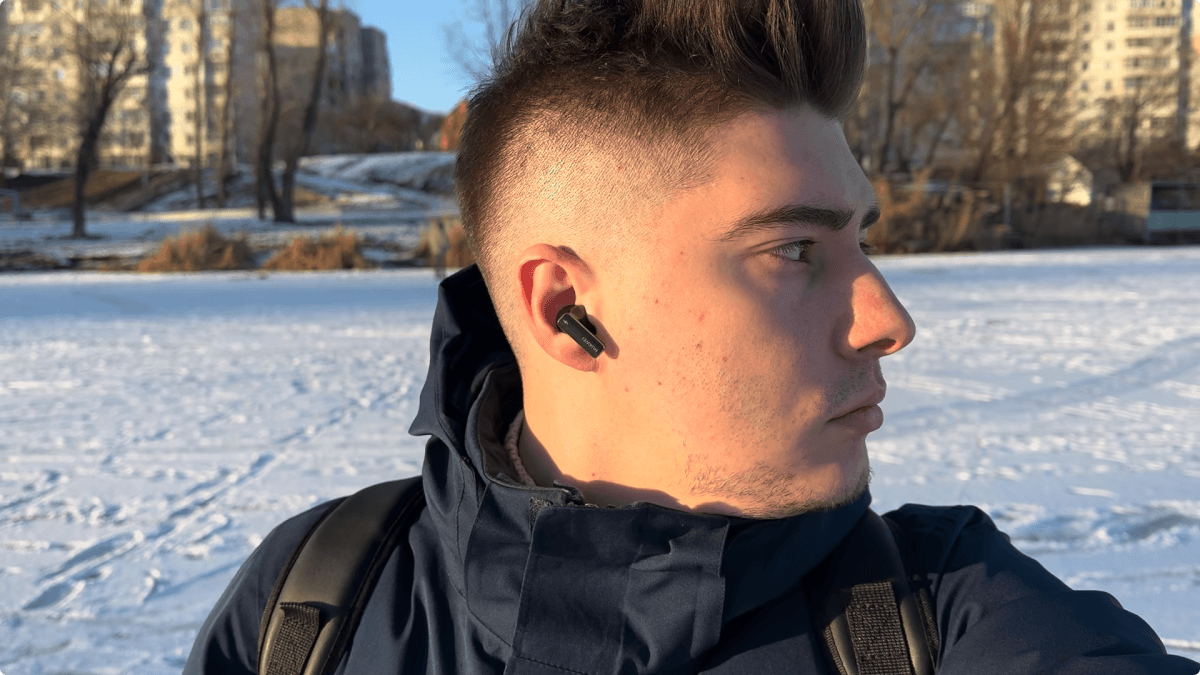

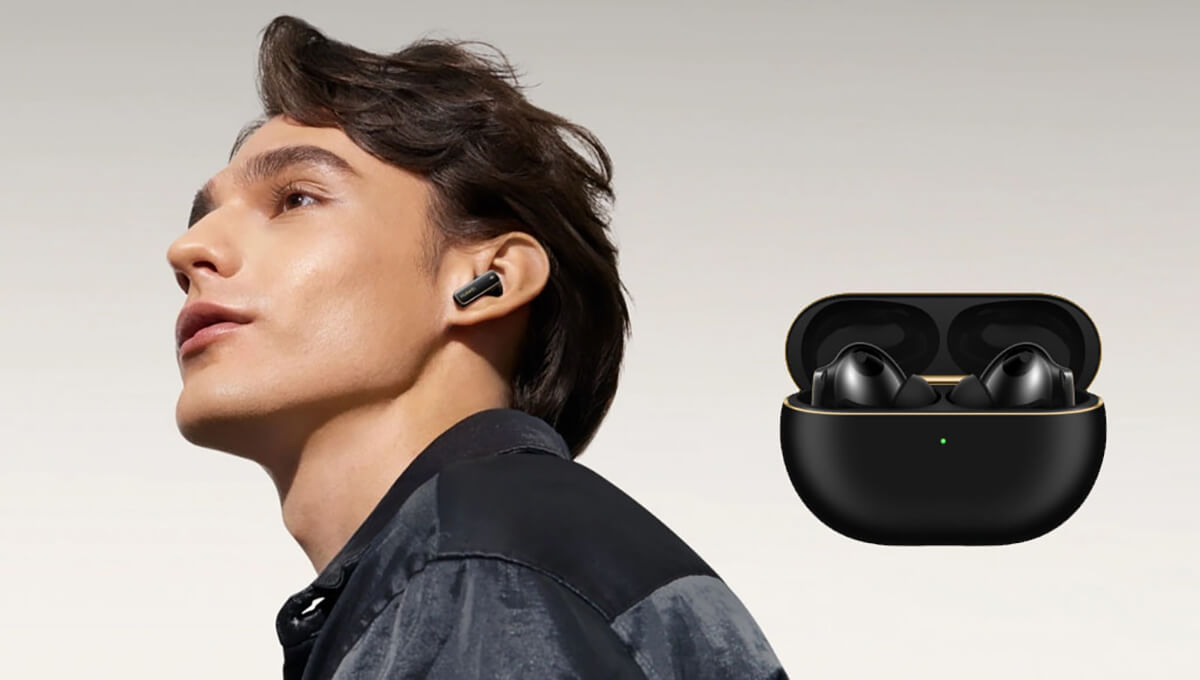
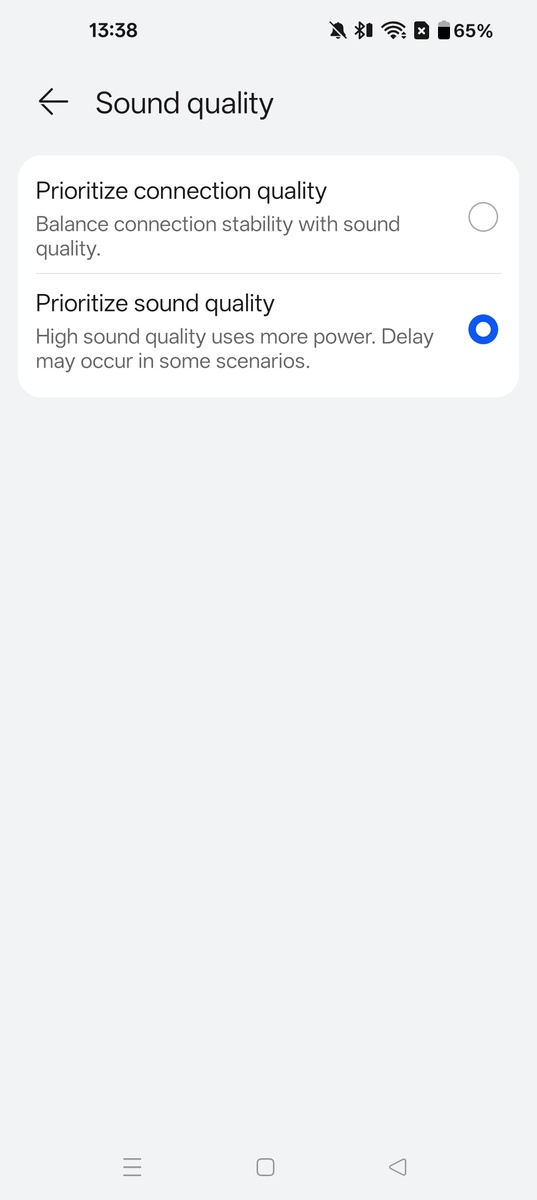
The sound of the HUAWEI FreeBuds Pro 4 is, by default, characterized by moderate bass frequencies, an emotional feel, a transparent mid-range, and moderately bright highs. While there are no critical flaws in the sound, there are some downsides. I personally liked the sound without any adjustments, on the default EQ setting, as some of the presets weren’t particularly good. However, it’s still essential to enable sound priority in the proprietary app, which involves activating the LDAC codec.
Huawei’s proprietary L2HC 4.0 codec, which transmits sound at a speed of 2.3 Mbps with support for 48 kHz / 24 bits, unfortunately only works on Huawei devices running EMUI 15 or higher. This is a real drawback, and for that, I’m docking the model’s score slightly because it essentially forces users into Huawei’s ecosystem. While it’s true that everyone is doing this nowadays, I’m a firm believer in universality—users should get the most out of their devices, regardless of brand. Therefore, I’ll be marking this as a negative in all MyChooz reviews, including those for Apple, Samsung, Xiaomi, and others.
The manufacturer claims a “triple adaptive equalizer” that supposedly adjusts the sound to the user in real-time. There’s no way to verify this, so we just have to trust that the sound genuinely changes based on volume, ear canal shape, and headphone fit. Does it impact the quality? Possibly, but without a direct comparison, it’s hard to tell. Everything operates automatically.
What really pleased me and makes a significant difference to the sound are the two included ear tip options: three pairs of silicone tips and three pairs with memory foam. I highly recommend trying the memory foam ear tips; they’re denser, lead to less sound leakage, and provide more low-end, which this model was slightly lacking right out of the box. If you then try to correct this with EQ and enable the bass preset, the bass tends to become bloated and muddy.
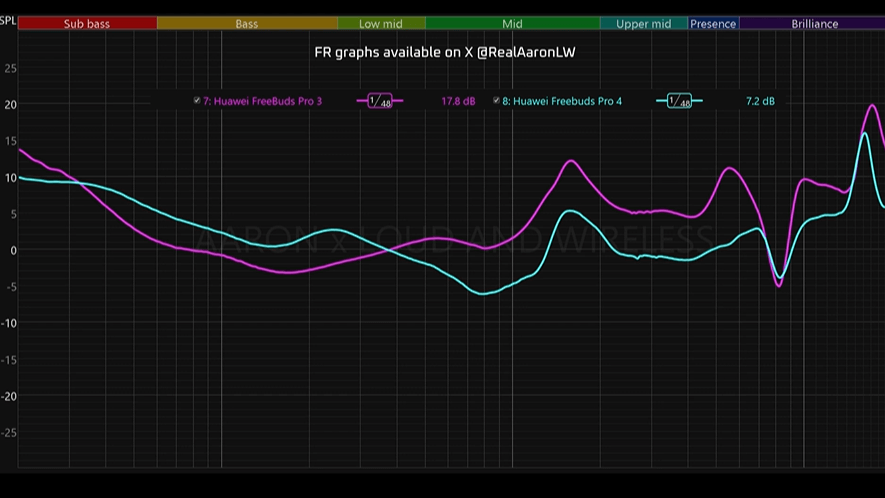
Frequency balance: This refers to how sound energy is distributed across the entire audible range, from 20 Hz to 20 kHz. It’s not just about covering the full spectrum, but about achieving the right proportions so that the lows, mids, and highs work together harmoniously, without clashing or obscuring important details.
The ideal balance means the bass provides a solid foundation, the mids deliver clear and present vocals, and the highs add sparkle and detail. Frequency balance skew occurs when one or two of these main ranges are either overemphasized or noticeably lacking compared to the others.
. 8.83 A slight lack of lows, a bright mid-range, and moderately bright highs.Low frequencies, or bass (20 Hz – 250 Hz), form the foundation of music, giving sound depth, weight, and a rhythmic basis.
The ideal balance results in clear, powerful, and well-rounded sound. An **excess** of low frequencies, however, makes music sound muddy and boomy, masks vocals, and quickly fatigues the listener, leading to indistinct overall sound. Conversely, a **shortage** makes music sound thin, weak, and empty, robbing it of warmth and rhythmic foundation, which in turn causes harshness in the mids and highs.
. 9 There is less bass than you might want, but the low end is natural, tight, and punchy.Learn more.
The midrange (250 Hz to 4 kHz) is where most musical elements live, and it’s crucial for hearing main melodies, vocals, and instruments.
Too many mids, especially in the upper range, make sound harsh, intrusive, and fatiguing fast. The mix can sound shouty or “boxy.” Conversely, a shortage of mids results in a hollow, recessed sound where vocals and main instruments lose their presence and seem distant, draining the music of energy and overall clarity.
. 9 Open and quite clear. The artist sings right in front of you.Learn more.
Highs, or treble (4 kHz – 20 kHz) – these frequencies are responsible for brightness, sparkle, detail, and that sense of ‘air’ in a music mix. This range helps you pick out the finest details, like string overtones, cymbal shimmer, and sibilant sounds in vocals.
An optimal balance makes music sound lively, clean, and open. Too much, however, leads to unnecessary harshness, causes sibilance (overly loud ‘s’ sounds), and makes cymbals sound unpleasantly ‘grainy’ or metallic, quickly fatiguing your ears. Too little, and the entire mix sounds dull, muffled, and ‘closed-in’ (veiled). The sound loses its detail and openness, feeling like you’re listening through a thick filter that robs the music of clarity.
. 8.5 There is a shortage in quantity.Learn more.
Detail retrieval – this describes how clearly and distinctly you can hear the tiniest sounds in a mix, like reverb, overtones, quiet instruments, texture, and subtle percussion sounds (such as light hi-hat taps).
Ideal detail retrieval – all subtle sounds are audible, just as they would be at a live performance.Lack: The sound is dull, muted, and veiled, as if you’re listening through a layer of fabric. The musical picture lacks depth, instruments sound flat, and subtle nuances get lost.Excess: The sound becomes unnaturally sharp, aggressive, and glassy. This can manifest as an overemphasis on sibilant sounds and background noise. This kind of sound quickly becomes fatiguing, often due to too much treble above 6 kHz.
. 8.5 Primary and secondary parts are audible, and you can pick out some micro-details on the surface. High-frequency instruments are rendered better, though some grain slips through occasionally. Low-frequency instruments are rendered worse, but their texture is well-defined, making it hard to confuse a double bass with a bass guitar.Learn more.
Naturalness— how authentic and realistic the sound is. It indicates how accurately the sound of voices and musical instruments is reproduced.
Best naturalness – the sound is clean, warm, and lively, without artificial coloration or extraneous noises.
Excess – an excessive amount of distracting sounds like sighs, mechanical noises, rustles, etc.
Lack – the sound feels artificial, colored, or plastic. You lose timbre recognition (instruments don’t sound like they do in real life), and the sound becomes flat and fatiguing due to incorrect equalization or excessive compression.
Learn more.
Soundstage, or stage, refers to the perceived three-dimensional space where instruments and vocals in a musical piece are placed. It’s a virtual soundscape that sound engineers craft during mixing. The stage encompasses width (left-to-right placement), depth (a sense of distance), and height (the feeling of instruments being above or below the horizontal plane).
The best soundstage makes music feel immersive and realistic, letting you pinpoint each element in space—whether it’s to your left or right, closer or further away, or above or below your head. A lack of it results in a monolithic sound, as if everything is coming from a single point, making it difficult to discern the position of each instrument. An excess of it, on the other hand, can make instruments and vocals sound overly distant, causing the musical composition to lose its coherence.
. 8 A bit wider than your head, with noticeably less width in its presentation.Learn more.
Sound verdict
The final sound score is calculated using this formula:
Frequency balance + Detail retrieval + Soundstage + Natural timbre / 4 = Final Sound Score.
. 8.46 The wireless earbuds provide great mids and clear vocals. The tone of voices and instruments is fairly natural, with no distortion or artificial sheen. Detail retrieval is good enough to enjoy live instruments. The downsides include a slight lack of bass and a somewhat narrow soundstage.The HUAWEI FreeBuds Pro 4 receive a sound rating of 9/10 among all wireless in-ear headphones. Overall, their sound is slightly better than the OnePlus Buds Pro 3. The OnePlus Buds Pro 3 remain excellent headphones for $120. The title of superior sound among all TWS models now goes to the Technics EAH-AZ100, though by a slight margin. Whether that difference is critical? Not at all, and I’ll happily continue listening to the OnePlus Buds Pro 3 next. Simply put, the HUAWEI FreeBuds Pro 4 offer a more emotional sound with an emphasis on vocals, while the OnePlus Buds Pro 3 deliver higher quality sound with an emphasis on lows and bright highs. That’s the key distinction. Keep this in mind when making your choice. If you aim to get the absolute most out of your sound, consider purchasing the Technics EAH-AZ100.
The main drawbacks of the HUAWEI’s sound are a slight lack of bass and a narrow soundstage. Conversely, the key strengths are its excellent midrange, transparent vocals, superb detail, and outstanding naturalness. The HUAWEI FreeBuds Pro 4 stands out as the best option for those seeking uncompromising and accurate sound, suitable for all genres, but particularly excelling with vocal and rock compositions. For electronica, Hip Hop, and instrumental music, the OnePlus Buds Pro 3 is definitely worth picking up for those genres. My engagement with the music is 10/10. I just want to dance and listen to entire albums of my favorite music.
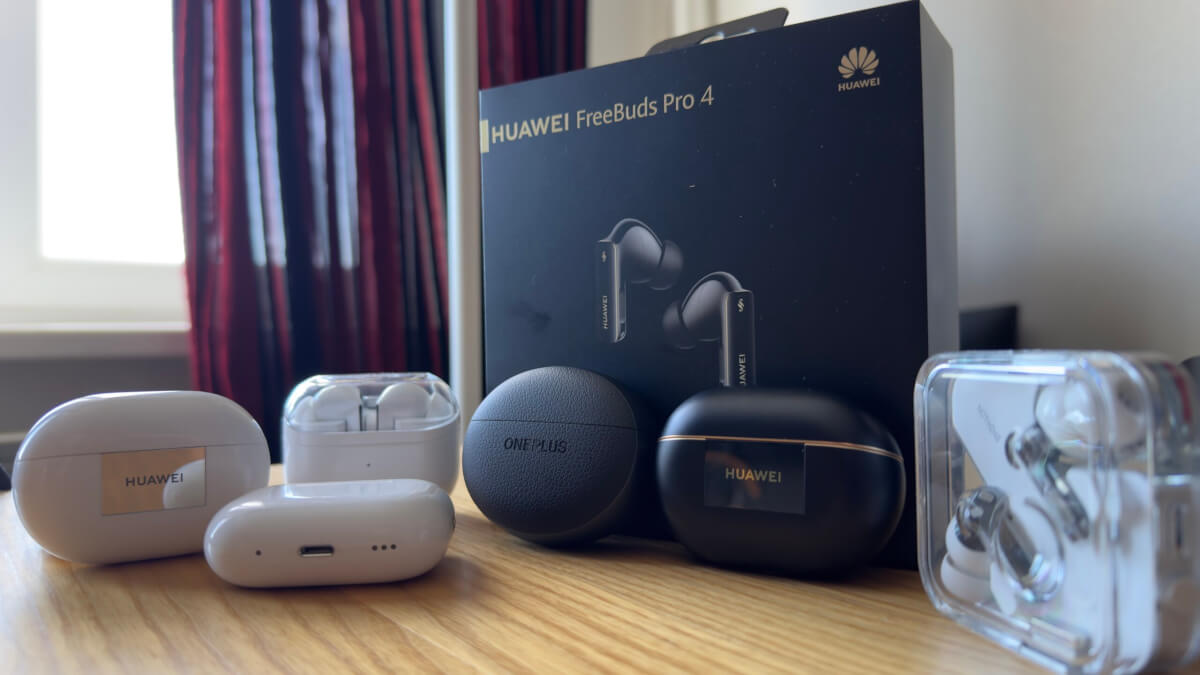
HUAWEI FreeBuds Pro 4 – Comparison with Competitors:
Functions
The manufacturer places a strong emphasis on improved microphone quality. However, the microphone remains exactly the same as in the Pro 3 version — that is, it’s still reference-quality and ranks number one.
HUAWEI FreeBuds Pro 4 microphone – 9.75/10. In quiet conditions – 9.5/10. In noisy conditions – 10/10.
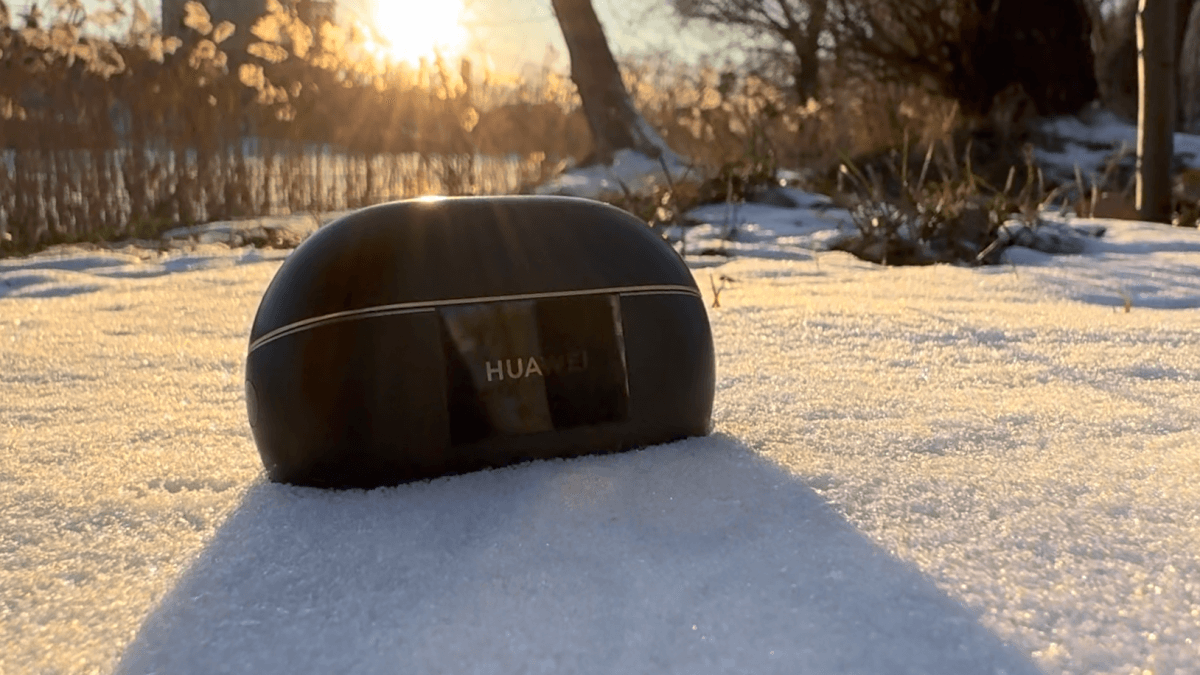
Noise Cancellation is 8/10. We were promised 30% better noise cancellation. In reality, noise cancellation remained at the same level as it was in the 3 Pro version. It’s slightly worse at suppressing midrange and treble compared to the AirPods Pro 2, which are rated 9/10, with the benchmark being the Sony WF-1000XM5 at 10/10.
Transparency Mode – 8/10. This is the same level as the 3 Pro. It’s worse than the AirPods Pro 2, which are a 9/10. The Samsung Galaxy Buds 3 Pro serve as the 10/10 benchmark. It was claimed that the speaker’s voice is recognized and amplified in noisy environments. This feature is supposedly activated automatically when changes in ambient noise are detected. I didn’t notice any such effect; it just functioned as a typical transparency mode.
Battery Life – 7.5/10. It’s at a sufficient level. The manufacturer claims 7 hours for the earbuds themselves and 33 hours total with the case, without noise cancellation and using the AAC codec. With LDAC and noise cancellation enabled, we get 4.5 hours for the earbuds and 22 hours total with the case. In practice, the manufacturer’s data is accurate. For comparison, the 3 Pro offered 6.5 hours for the earbuds and 31 hours with the case. The benchmark, Nothing Ear (a), boasts 9.5 hours for the earbuds themselves and 42.5 hours with the case. Battery life is perhaps the weakest aspect of this model. I personally drained the headphones to 0 in 4 days, and they notified me too late about the low charge, only when it was already at 10 percent.
Fast charging isn’t explicitly claimed, but charging the earbuds from 0 to 100% takes 40 minutes. Wireless charging is supported. I’m deducting 3 points due to the autonomy when compared to the benchmark.
According to the manufacturer’s claims, there’s a smart charging feature that will increase battery life by 38%.
Controls – 10/10. This is an example of how to implement reference-quality controls—everything is comfortable and problem-free. The HUAWEI FreeBuds Pro 4 offers pinching the stem, tapping on the stem, and swipes up and down. What’s more, you can answer or reject calls completely hands-free by simply nodding or shaking your head. Everything works conveniently; you can even control the headphones by tapping on your ear instead of the headphones themselves. The HUAWEI FreeBuds Pro 4 truly outperforms the AirPods Pro 2 in this regard.
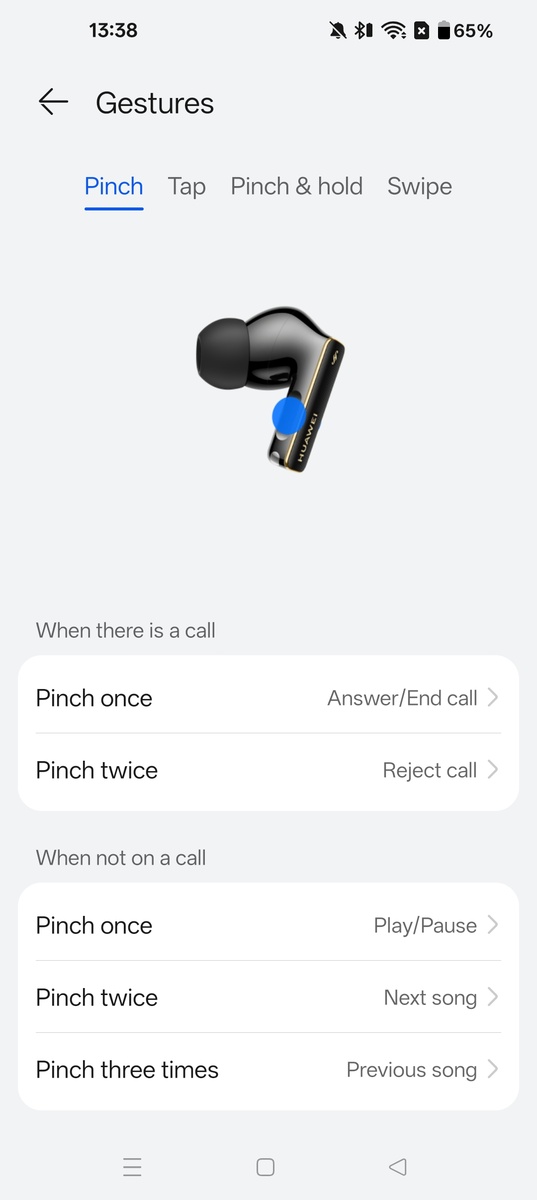
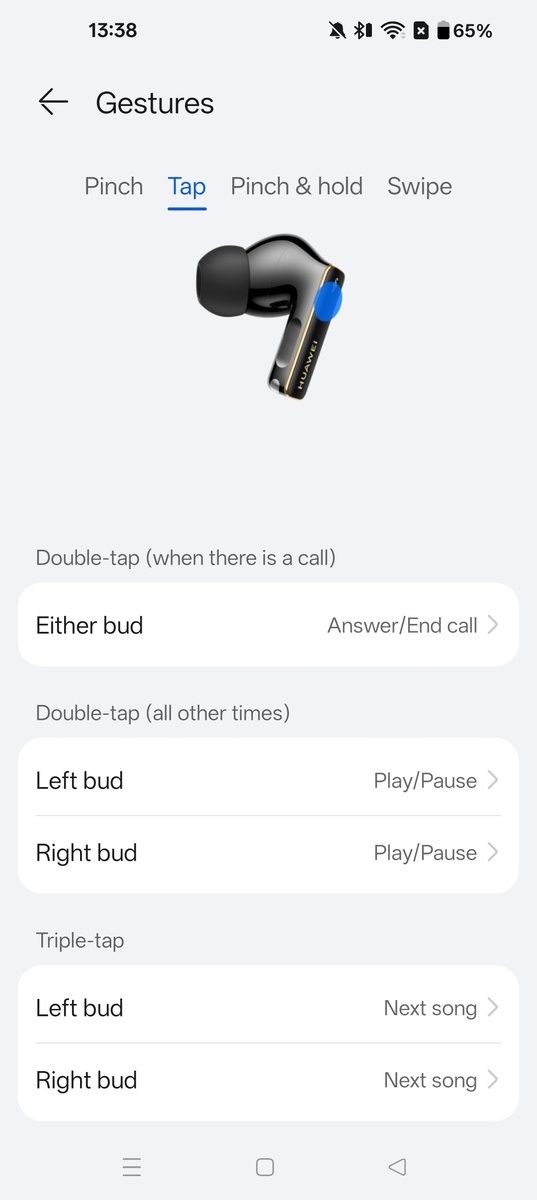
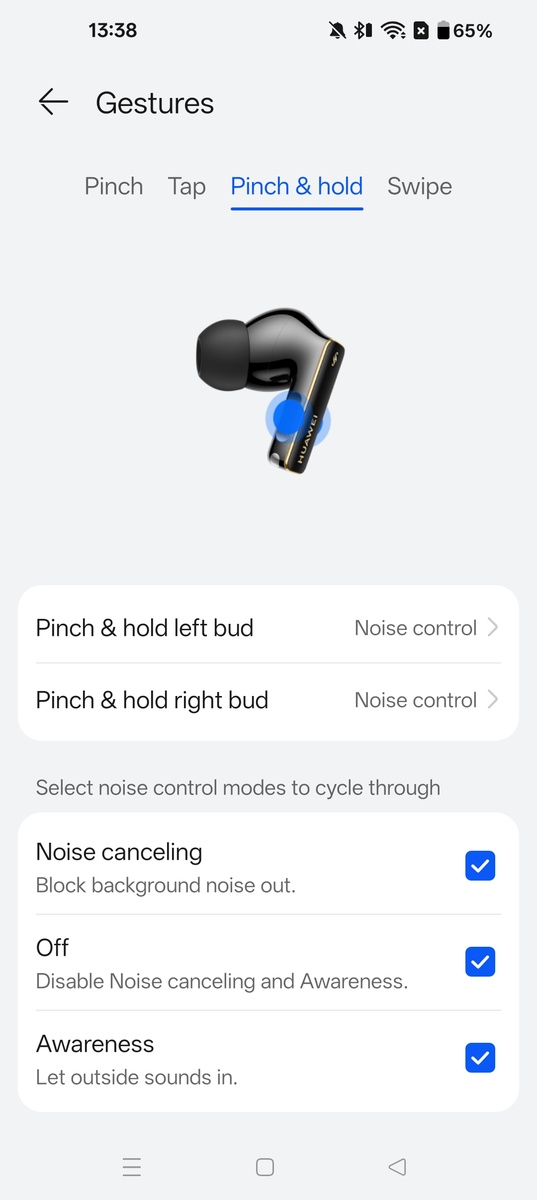
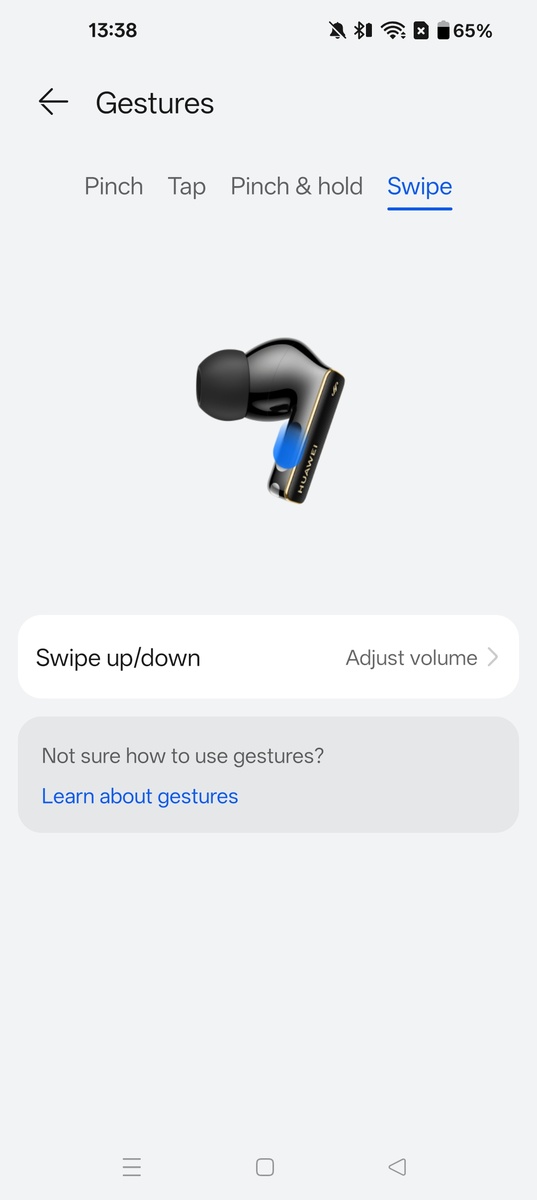
The app is 10/10. You can download HUAWEI AI Life for Android and iOS. The main things I recommend using are: in the sound quality tab, prioritize the sound quality and complete the ear tip fit test.
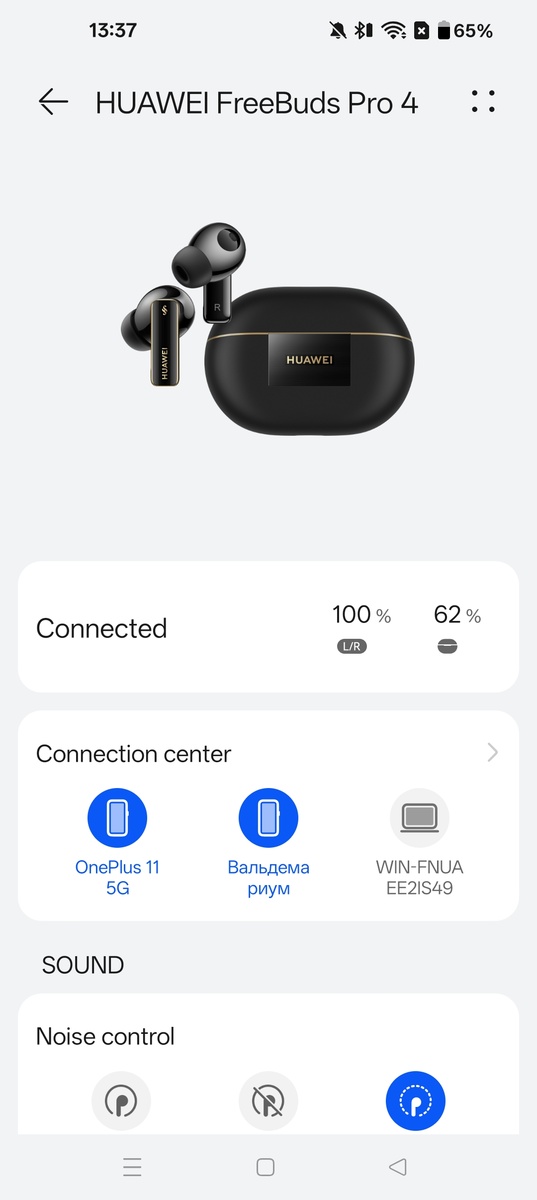
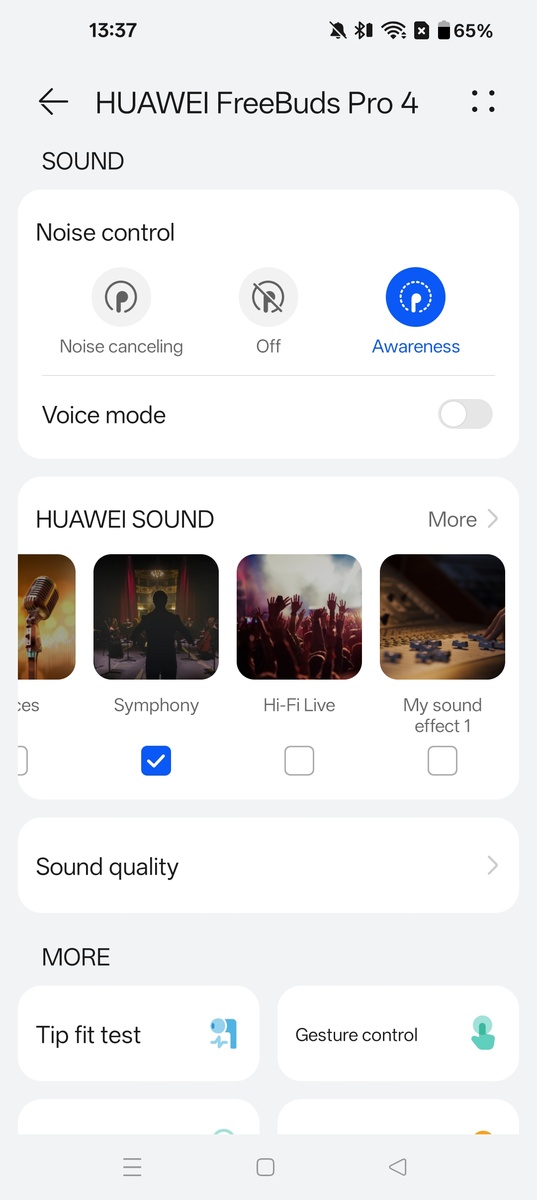
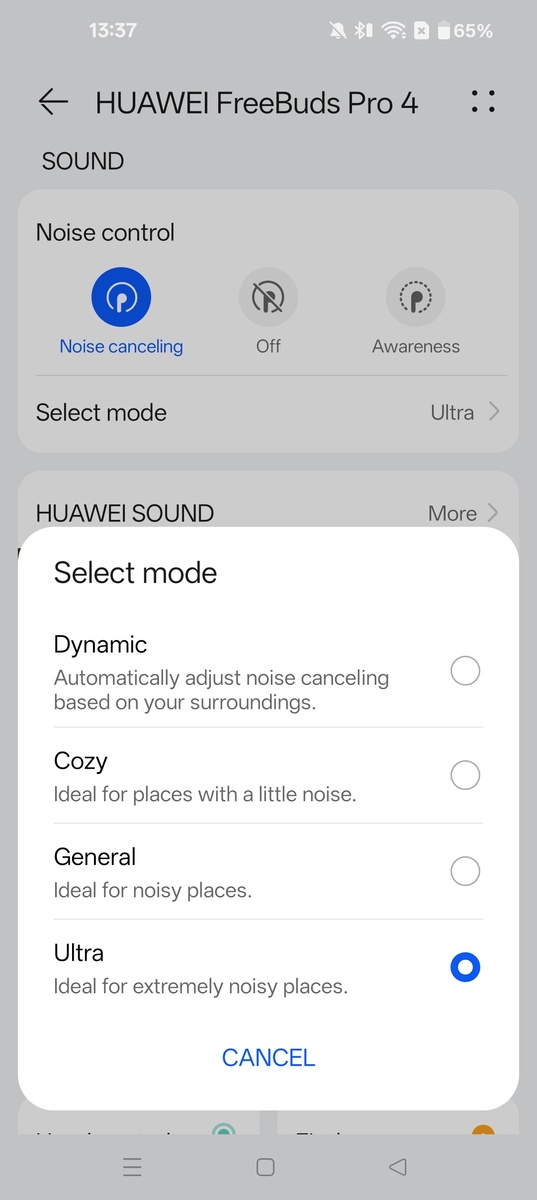
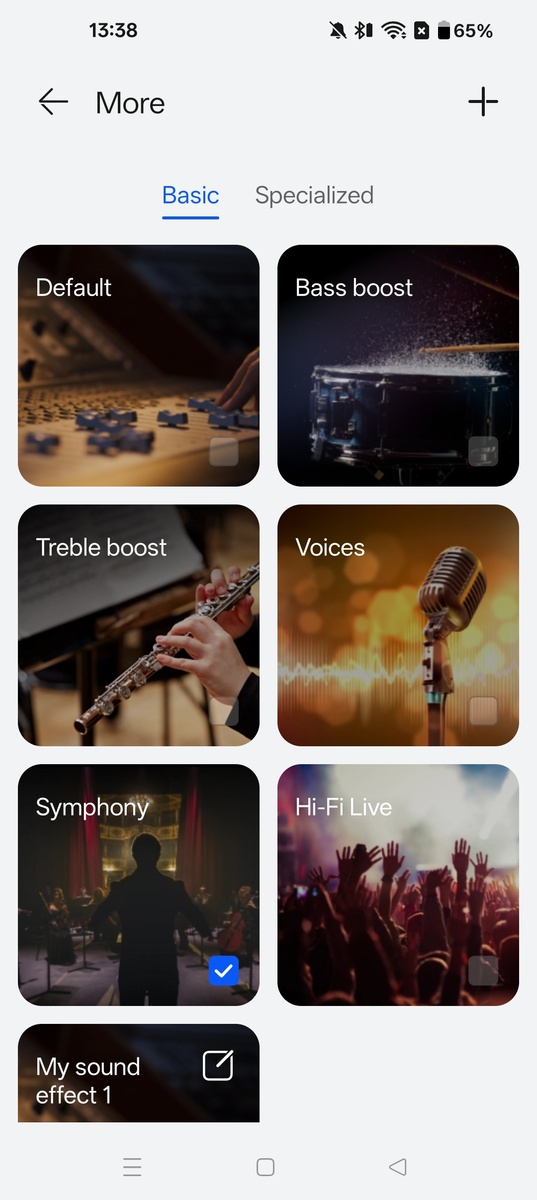
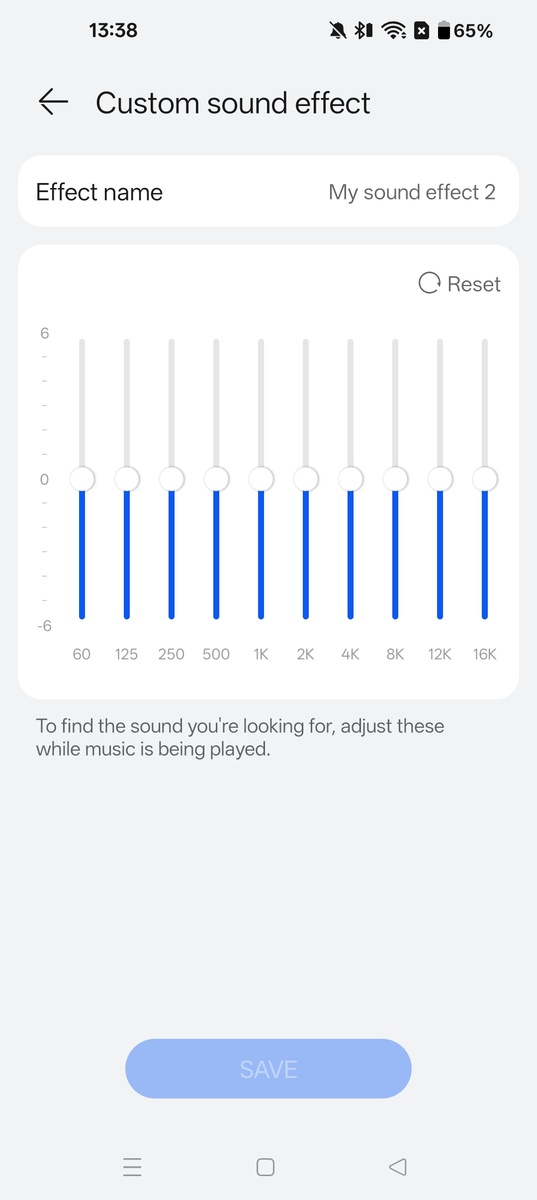
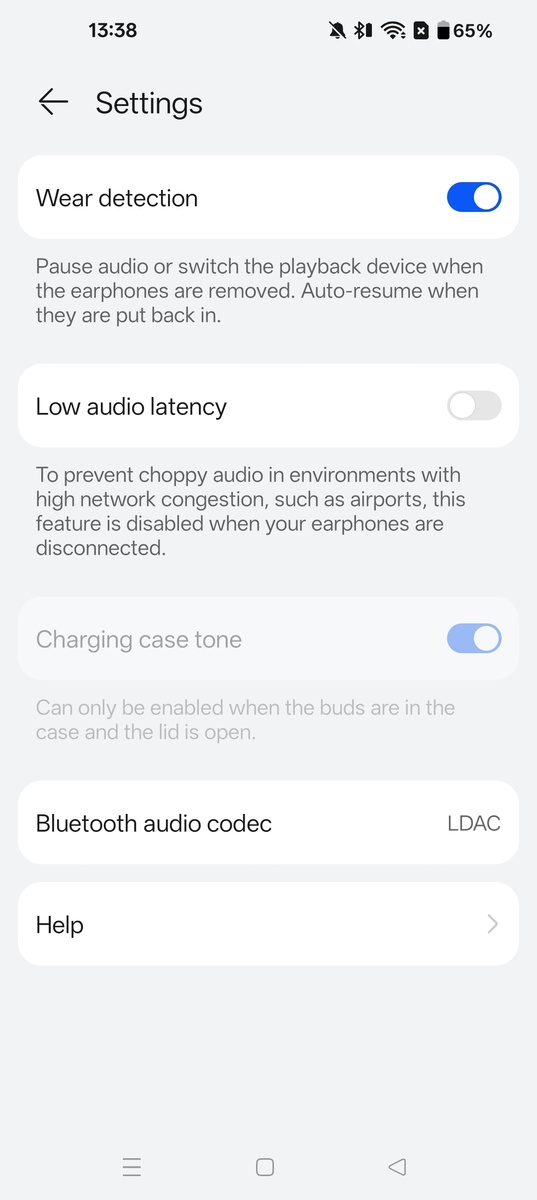
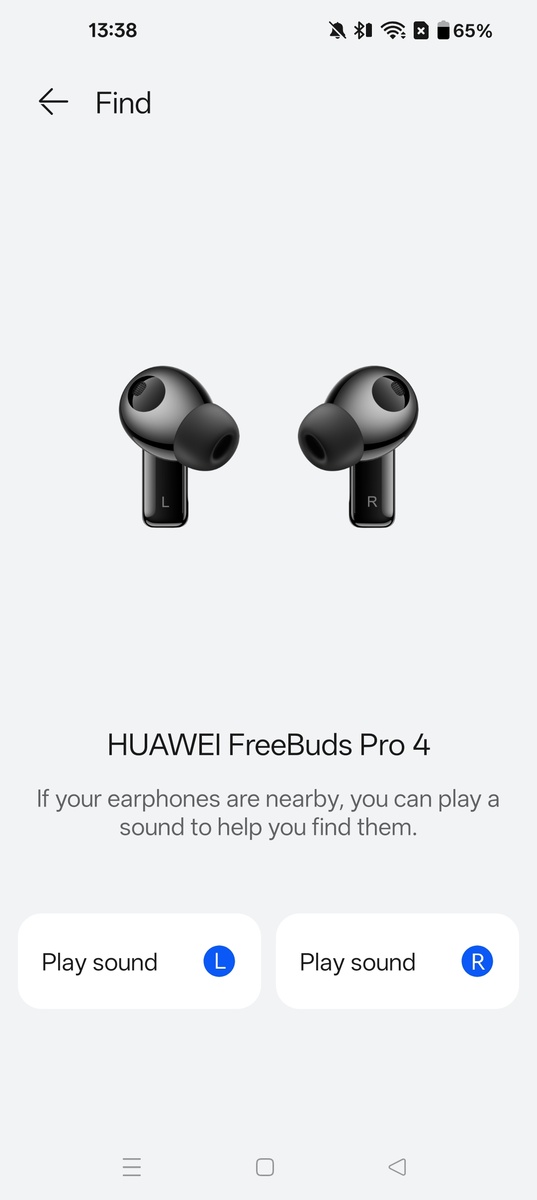
Connection stability is 10/10. The connection and stability within 10m are excellent with Bluetooth 5.2. There were no stutters or dropped connections, even when using the LDAC codec.
Important features and sensors:
- Multipoint: Yes.
- Auto-pause when headphones are removed: Yes.
- Pairing animation: The pairing animation did not work on the iPhone 15 Pro or OnePlus 11. This feature appears to be exclusive to Huawei devices.
Design
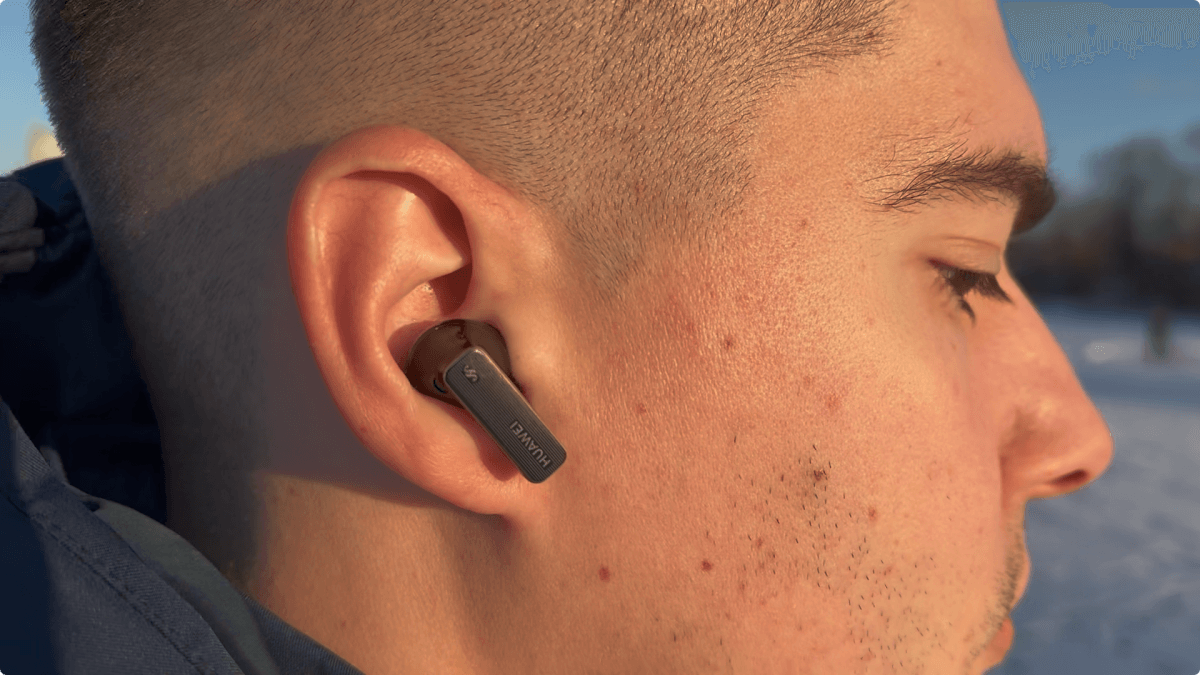
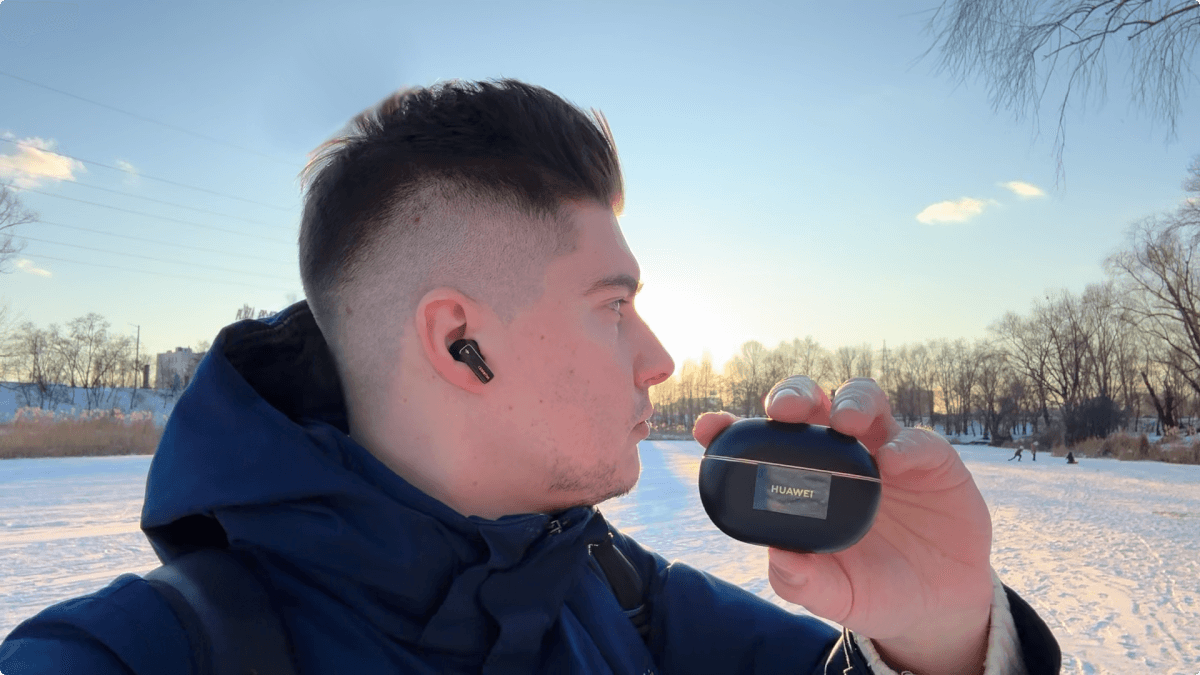
Comfort is how the earbuds feel during extended wear: ear pressure, fit, weight, and ventilation. A comfortable model doesn’t chafe, squeeze the ear canal or head, and doesn’t cause fatigue even after a couple of hours; an uncomfortable one quickly reminds you of itself through pain, heat, or a “plugged” feeling in the ears.
. 9 The wireless earbuds are comfortable with the included ear tips, though the feeling of having something in your ears never quite goes away. The charging case is slightly thicker than the Apple AirPods Pro 2.Durability — how well the earbuds and charging case hold up to daily use: This includes the quality of the plastic and hinge, water resistance, wear on the ear tips, and the reliability of connectors and buttons. High durability means nothing is loose, peeling, or cracking after a year or two. Conversely, low durability means you’ll see cracks, looseness, hinge noise, or connection issues after just a couple of months.
. 8 IP54 dust and water resistance – protection against limited dust exposure and splashes. The charging case lacks water resistance. The charging case is made of matte plastic with a glossy insert, while the wireless earbuds are glossy. The wireless earbuds are fingerprint magnets and easily get dirty, and scratches on the charging case show after a week of testing. I recommend putting a case on the charging case after starting to use it.Design – This covers how the earbuds look and how well-thought-out their shape is. I’m talking about how they appear in your ears, how versatile they are with different outfits, and whether they look cheap. A good design blends a neat appearance with a comfortable shape and practical touches, like non-marking plastic or a well-designed charging case. Conversely, a bad design will snag on your clothes, scratch easily, and just look out of place.
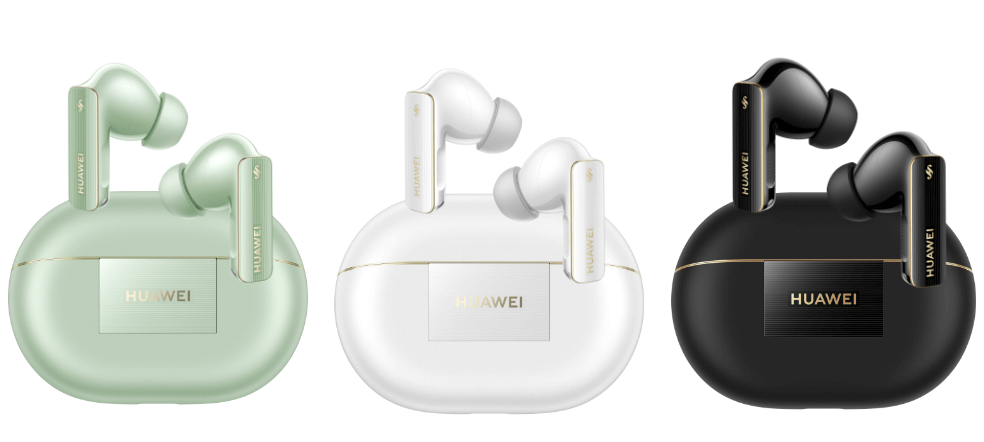
. 9 HUAWEI FreeBuds Pro 4 are available in 3 colors: black, white, and green. The design is beautiful and stylish (luxurious and rich). However, the wireless earbuds look a bit bulky in the ears, as they are quite large. And the glossy finish with the logo might not be for everyone.Build verdict
Final build quality score is the overall score for build quality and materials: comfort, durability, and design. It shows how nice the device is to hold and use, and how long it will last.
. 8.67 The wireless earbuds offer a comfortable fit without noticeable discomfort. No complaints about build quality or materials. However, the housing of the wireless earbuds is a fingerprint magnet, and scratches on the charging case become visible after a week of use. They look good, though the gold plating and branding look a bit excessive. Available in 3 colors.Bottom line
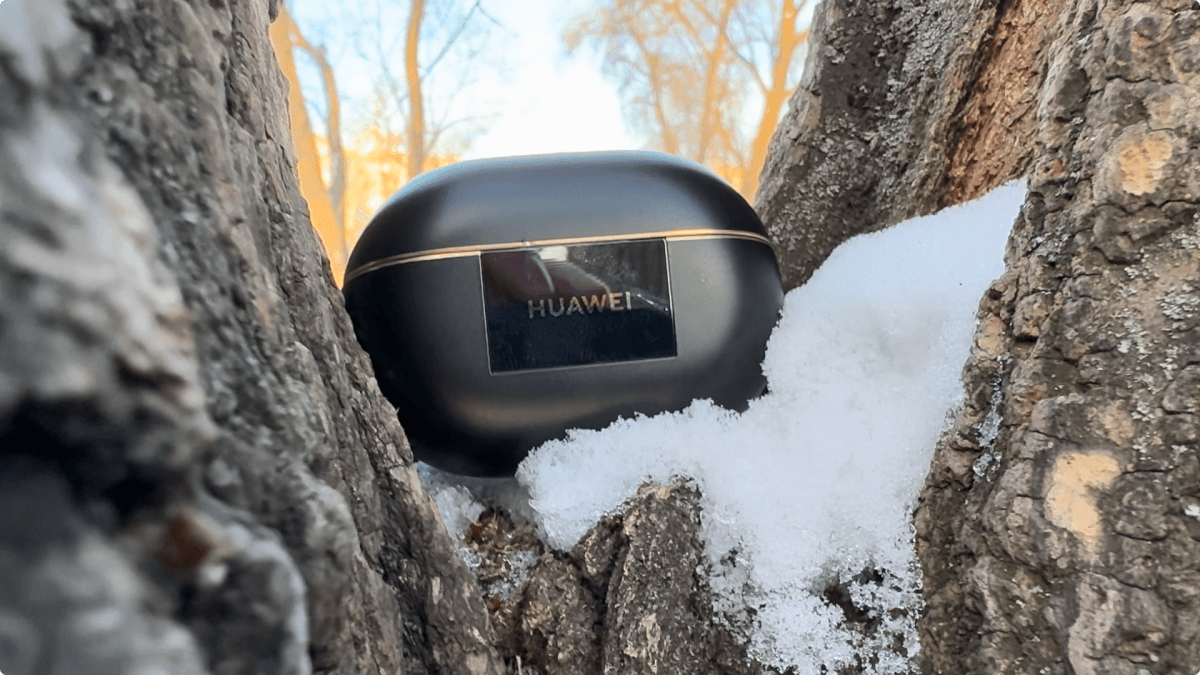
HUAWEI FreeBuds Pro 4: MyChooz? Definitely yes, the HUAWEI FreeBuds Pro 4 are my choice.
The HUAWEI FreeBuds Pro 4 are a delightful model in terms of sound quality, outperforming the OnePlus Buds Pro 3 in most criteria. With its superior audio performance, the HUAWEI FreeBuds Pro 4 could indeed be crowned the new king of TWS headphones.
What kind of sound will you get? You get an emotional sound with moderate bass and moderately bright highs.
What else do you get? Otherwise, a reference microphone, good noise reduction and transparency mode, decent but not outstanding battery life, reference controls, and a reference app. Great design with its minor downsides.
Updating the review, the Technics EAH-AZ100s have arrived. They’ve managed to become the new benchmark for sound, but in terms of features, the Huawei are the winners.
What are the alternatives?
The OnePlus Buds Pro 3 are a superior and more affordable alternative in terms of sound. You’ll experience a more pronounced low-frequency sound, with a wider soundstage and slightly brighter treble. Feature-wise, the models are largely comparable.
The new Realme Buds Air 7 Pro’s are the best sound you can buy under $250.
HUAWEI FreeBuds Pro 4 – Features:
- HUAWEI FreeBuds Pro 4 release date – December 4, 2024
- HUAWEI FreeBuds Pro 4 launch price – $205
- Design: in-canal
- Transducers: 11 mm dynamic driver and separate planar tweeter
- Codecs: Huawei L2HC 4.0, LDAC, AAC, SBC.
- Bluetooth: 5.2
- Active noise reduction: Yes
- Transparency mode: Yes
- Controls: touch control, pitch control.
- Battery life:
7 hours on the headphones themselves, 33 hours total with the case - Charging:
About 40 minutes for headphones (in charging case)
About 1 hour for charging case without headphones inside (wired charging)
About 150 minutes for charging case without headphones inside (wireless charging) - Application: available
- Optional: auto pause, multipoint
- Protection: IP54 (splash proof, dust proof)
- Materials: matte and glossy plastic
- Earpiece weight: ~5.8 g/each, charging case: ~47 g
- Microphone: yes
What’s in the box?
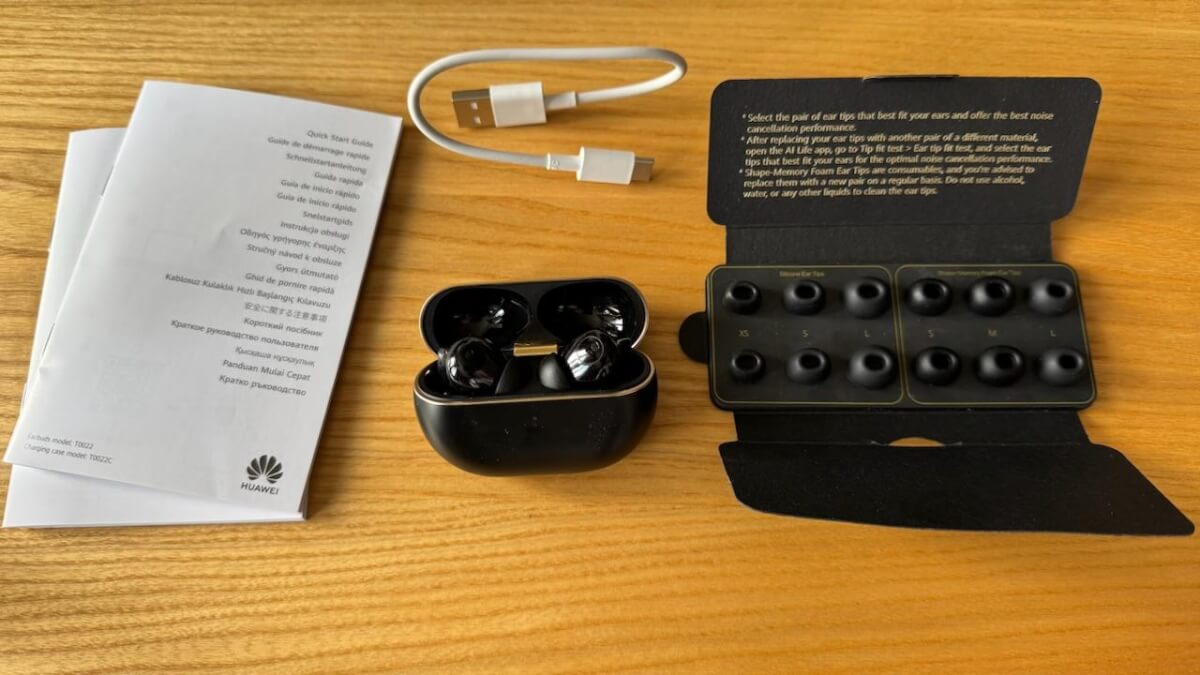
- Headphones × 1 pair
- Charging case × 1
- Earpieces × 7 pairs (silicone earpieces: sizes L, M, S, XS; memory earpieces: sizes L, M, S; earphones come with size M silicone earpieces)
- Quick Start Guide (with safety instructions) × 1
- Warranty card × 1
- USB-C Charging Cable × 1
HUAWEI FreeBuds Pro 4 – Popular Questions:
HUAWEI FreeBuds Pro 4 – how to connect wireless headphones?
1. Go to pairing mode, open the case, press the button on the case, for 5 seconds, until the indicator light starts flashing. 2. Go to bluetooth settings, list of devices, at the very bottom will be HUAWEI FreeBuds Pro 4. 3. Connect the headphones.
Do you still have a question about HUAWEI FreeBuds Pro 4?
Leave your question in the comments and I’ll answer it for you.
