

This is my ranking of the best USB cables for charging your phones, tablets, headphones, laptops, and all sorts of gadgets. Only cables I tested on MyChooz made it into the TOP 10. And these are the USB cables I actually use. Throughout this video, I’ll tell you which USB cables I use on a regular basis.
All the USB cables in this ranking are universal and should work with most devices from different manufacturers. The only exceptions are some manufacturers or models that absolutely require a proprietary cable and charger to enable fast charging, like OnePlus and some Xiaomi models. Otherwise, the cables in this ranking support fast charging and data transfer.
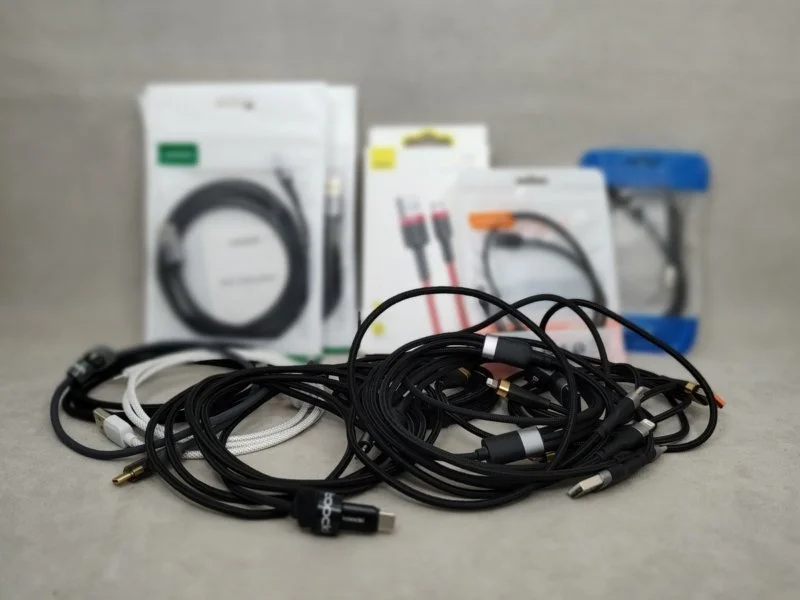
How do you pick a USB cable? I’ve put together my top recommendations based on 12 years of personal experience.
Learn moreMain criteria for choosing a USB cable:
- Purpose.
- Connector type.
- Power.
- Data transfer speed.
- Materials and reliability.
- Length.
- Additional features.
- Accessories.
Purpose
USB cables are used for charging and data transfer. If you only plan to charge or power a device, focus on the charging power. In most cases, 100W is plenty. If you plan to transfer data or video over the cable, you’ll want a cable with two Type-C connectors and data transfer speeds of USB 3.2 Gen2.
Charging. If you need a cable for constant device power or charging devices with built-in batteries, you should focus on power throughput. The power a cable can handle is usually listed on the packaging: 20, 29, 60, 100, 120W, and so on. For lower-power cables, you’ll often just see the current listed – 2, 3, or 3.5 Amps. Typically, these cables deliver up to 18-30W.
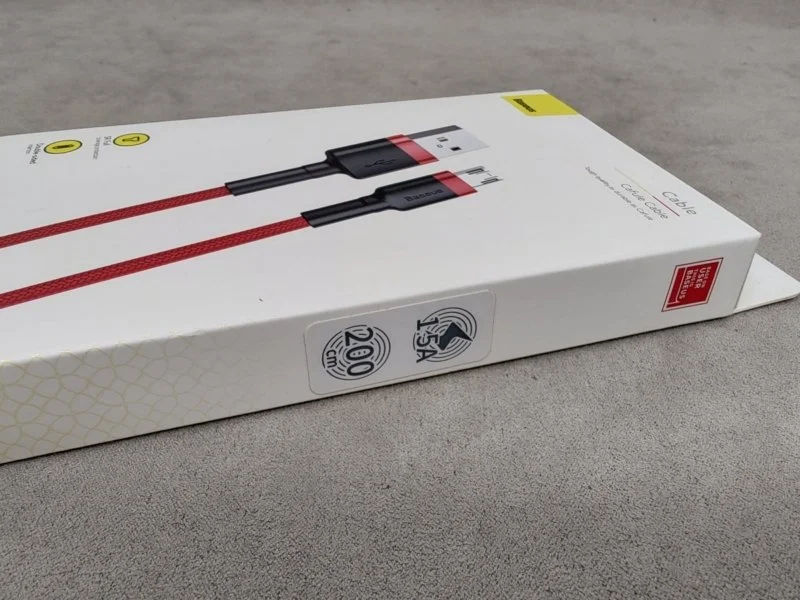
Important! Some manufacturers inflate their power ratings. They might list 100W, but the cable won’t even deliver 18W in practice. Or, a USB cable might be physically capable of transmitting 100W, but you won’t actually get that power unless you have a compatible charger, phone, tablet, or other device.
Data transfer. If you plan to transfer data, say from your phone to your computer or vice versa, you need a cable that supports data transfer. Most USB cables support data transfer via the USB 2.0 protocol at a minimum, which is sufficient for speeds up to 480 MB/s. However, these cables don’t support video signal transmission. If you need higher speeds or video support, look for a USB 3.0 cable or better.
Connector type
You’ll need a cable with the same connectors as your charger and your device – phone, tablet, headphones, etc. In most cases, a C-to-C or C-to-A cable will work for you. For iPhones up to the 14th generation, you’ll need an A-to-Lightning or C-to-Lightning cable.
Connector compatibility is crucial, as all ports are physically different and structurally incompatible. However, all connectors and ports use the same connection lines, and compatibility can be easily achieved with a suitable adapter. The exception is USB-C – this connector supports more connection lines than previous USB versions. Therefore, with a USB-C-to-C cable and the right adapter, you can achieve any USB cable connection. However, you can’t get a full USB-C-to-C setup with adapters and any other USB cable.
There are also magnetic cables with interchangeable tips. These reduce wear on your device’s USB port and solve compatibility issues. However, these cables require careful maintenance, and any debris or poor contact can easily lead to a short circuit. I recommend avoiding them.
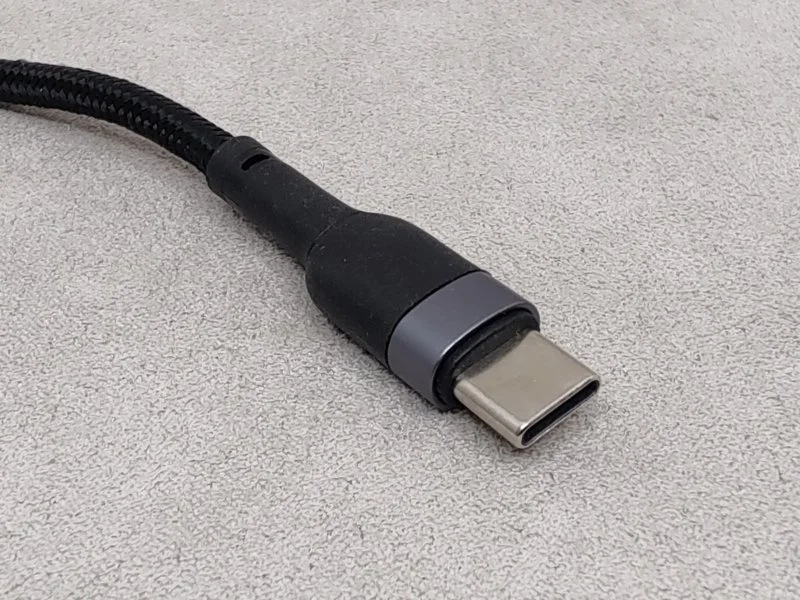
The most popular connector type is USB-C, or USB Type-C; both names are correct. This connector is used for charging phones, tablets, headphones, and powering cameras, various docking stations, etc.
The second most popular connector is USB-A. You’ll find these in laptops, power banks, PC motherboards, TVs, charging stations, and more. This connector maintains compatibility with older cables and for powering older devices.
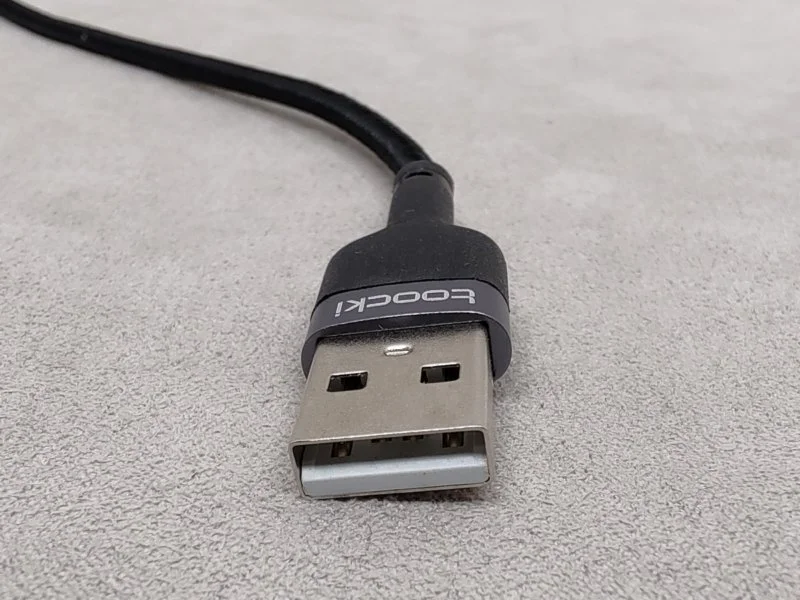
MicroUSB – This has been replaced by the more universal USB-C connector, but you’ll still find it in some power banks, older phones, and tablets.
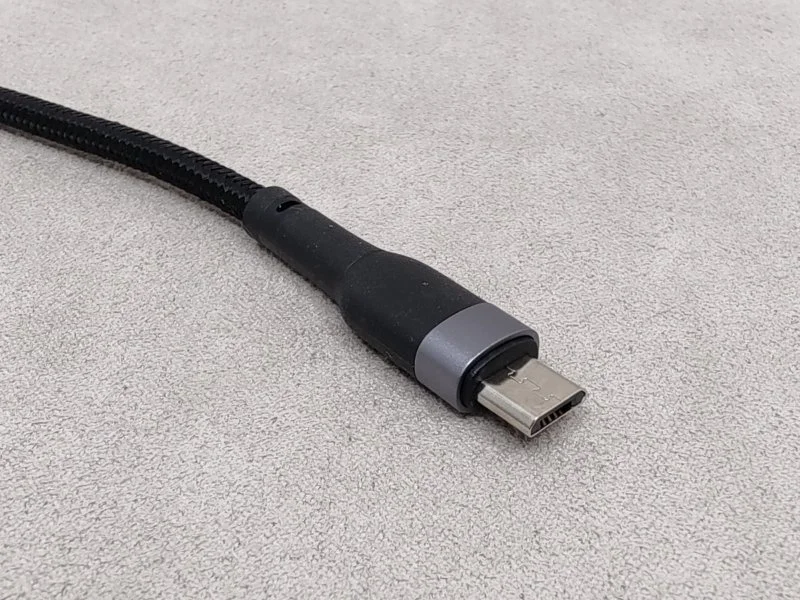
Lightning – Apple’s proprietary connector, used in iPhones up to the 14th generation.
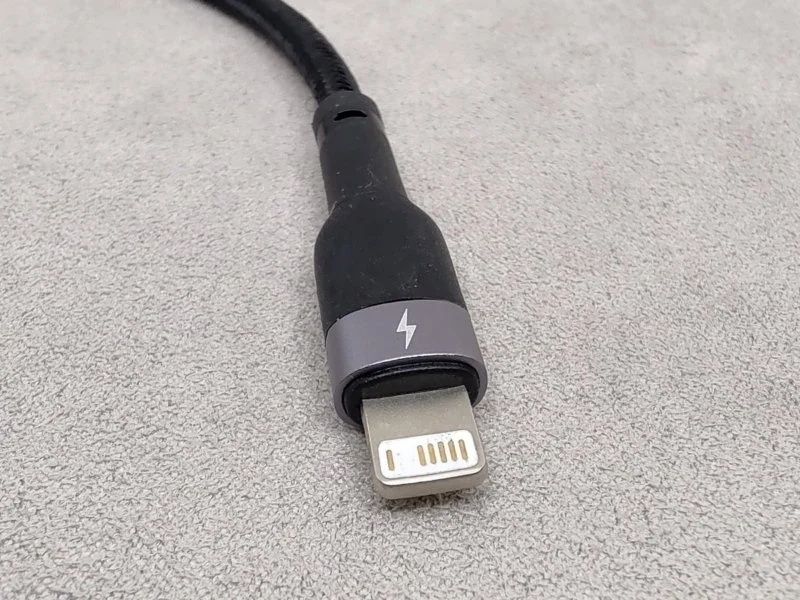
USB-B – a square connector with beveled corners on one side. There’s an enlarged version that supports USB 3.0. It’s mainly used for connecting peripherals like printers, scanners, MFPs, and hard drive enclosures.
Power
Cables with Type-C to Type-C connectors and 100W power are sufficient for most use cases.
A USB cable’s power rating indicates how much energy it can transmit per unit of time. However, you’ll only reach the maximum power under specific conditions – support for fast charging protocols, a charger with the required power output, etc. Even if your phone, cable, and charger all support 100W charging, you’ll only see those peak speeds at the beginning of the charge. As the charging process nears completion, the current drops, and the charging power decreases.
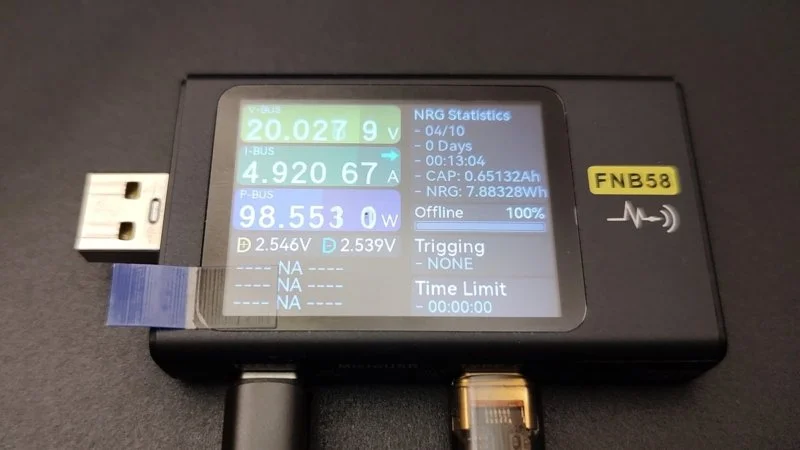
What charging power do you need:
- 10-15W. Powering low-power devices.
- 18-30W. Powering older or low-power fast charging protocols for headphones, phones, and tablets.
- 45-60W. Powering with current fast charging protocols. Suitable for powering some laptops and nettops.
- 75-100W. Powering with modern fast charging protocols. Fast charging for phones, power banks, and laptops.
- 120+W. Powering with proprietary fast charging protocols.
Data transfer speed
For unhurried file transfers, any cable with USB 2.0 will do. For faster transfers, go for USB 3.0 or higher. For transferring video via cable, you need USB 3.2 Gen2.
Materials and reliability
Higher quality materials lead to better characteristics and longer service life. You can only fully assess a USB cable’s quality after disassembling it, but that renders the cable unusable. Therefore, you should assess its external appearance; a cable with a high-quality finish usually indicates no internal problems. Look at these parameters:
- Plug housing construction.
- Sleeve.
- Strain relief.
- Insulation.
Plug housings can be molded or seamed. A molded option is a single piece, making it more reliable and longer-lasting, especially for USB-C. A seamed plug is wrapped in a metal sheet and has a visible seam at the joint, making it less reliable. USB-A and MicroUSB connectors typically have a seamed construction; I haven’t encountered molded ones.
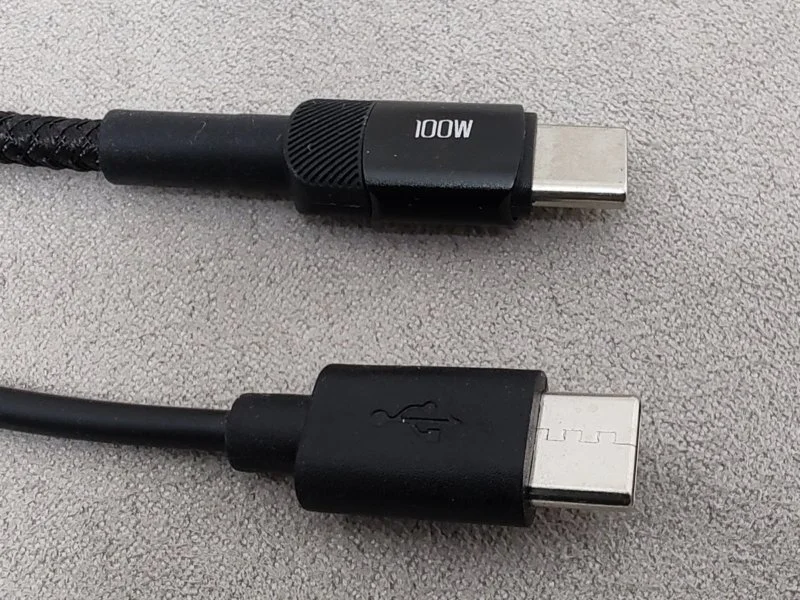
Sleeve – the housing behind the plug. It can be metal, plastic, TPE, or a combination. A metal sleeve is more reliable and dissipates heat better during charging. A plastic sleeve gets hotter, and models with transparent or translucent plastic are more common. TPE (thermoplastic elastomer) is soft, elastic, and doesn’t stiffen in the cold, but it can be mistaken for PVC. Combinations with 2-5mm metal inserts are usually pointless and offer no practical benefit.
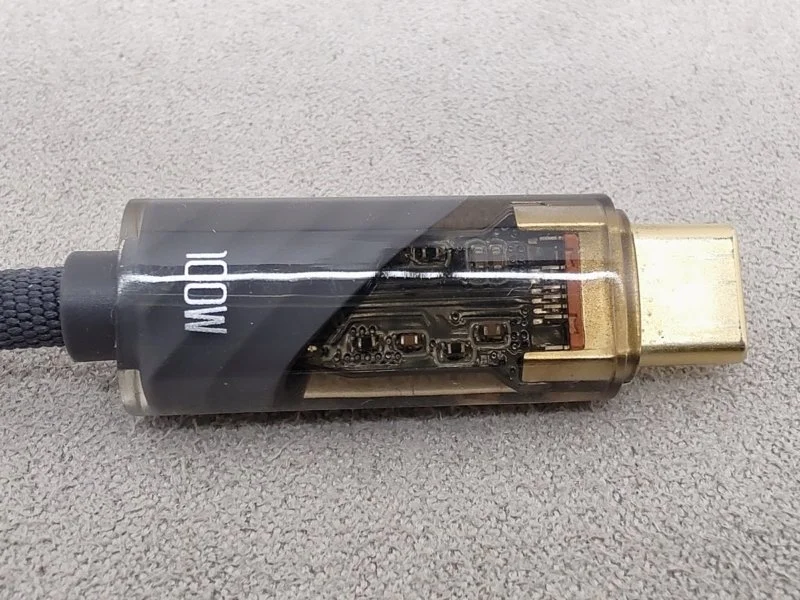
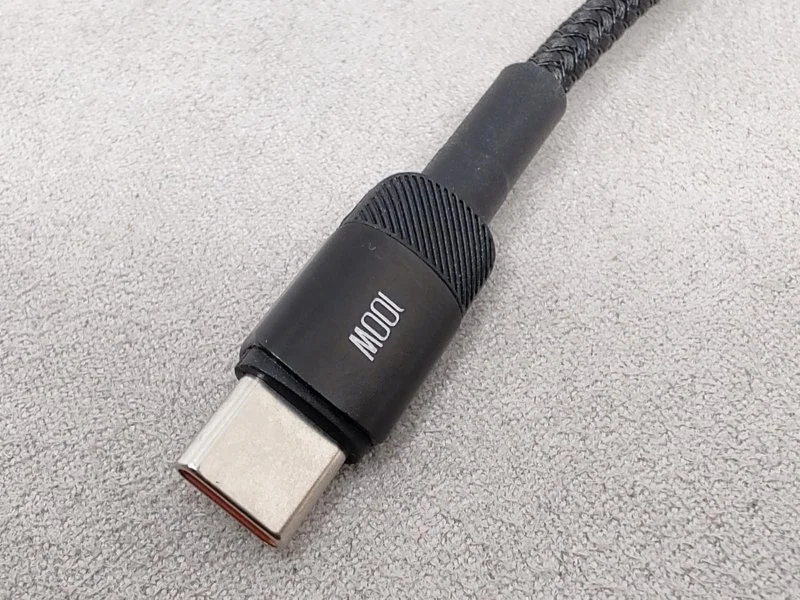
Strain relief – the insert that prevents the wire from bending right after the sleeve. The longer the strain relief, the less the cable bends and the longer its service life under load. In practice, strain reliefs shorter than 15mm offer virtually the same effectiveness.
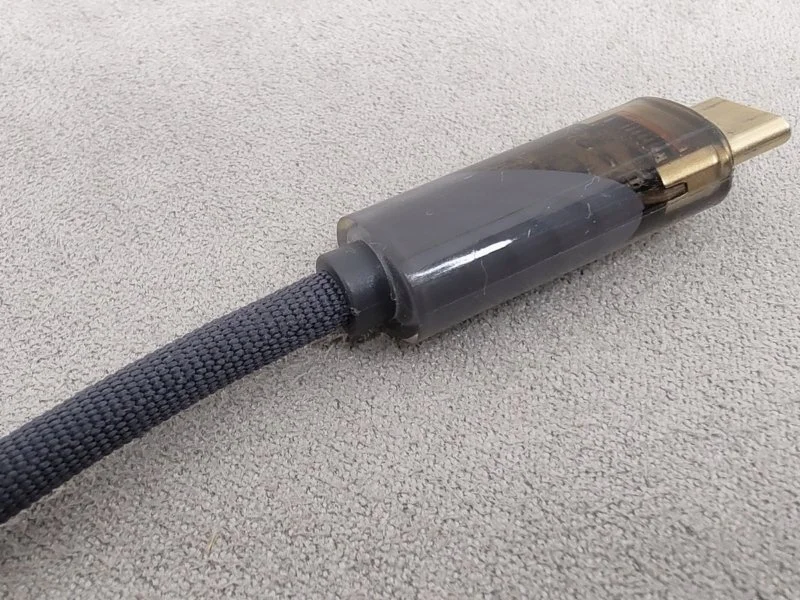
Insulation – prevents damage to the conductors and affects service life. The most basic option is PVC; it feels like rubber, dries out and cracks within 2-3 years. Silicone or TPE (thermoplastic elastomer) lasts longer but easily collects dust and debris. The best option is a combination: an inner layer with additional insulation, also TPE, and an outer nylon braid. Such a cable is flexible, pleasant to the touch, and lasts longer.
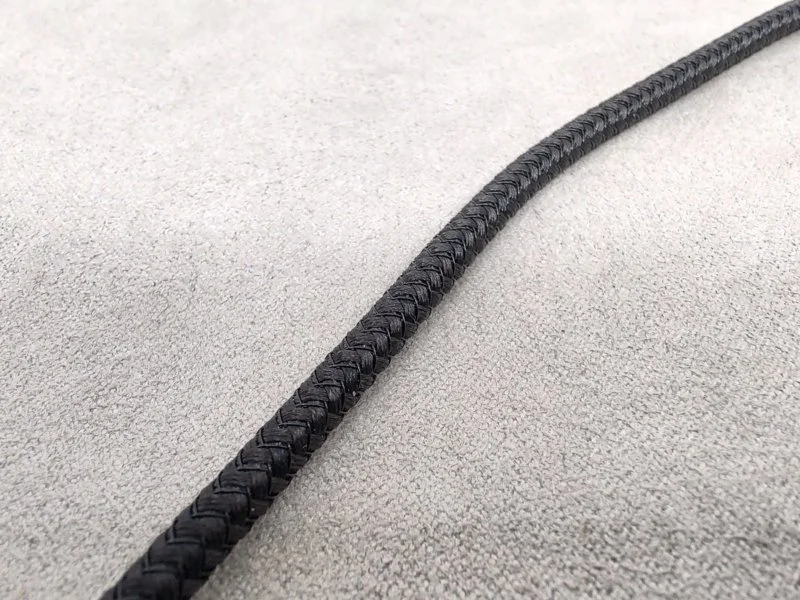
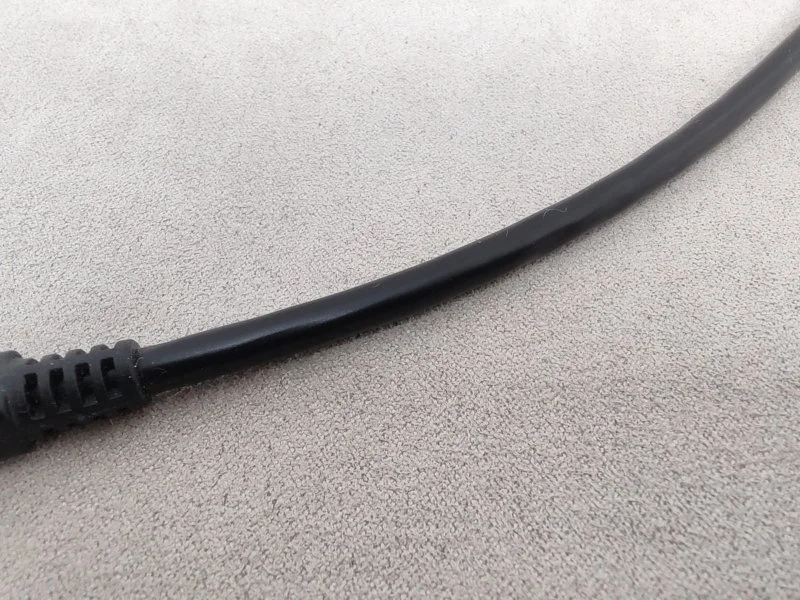
Length
For fast charging and data transfer, it’s best to choose a cable up to 1 meter long.
USB cable lengths are typically fixed: 0.25, 0.5, 1, 1.25, 1.5, 2, and 3 meters. Some series might only offer one length, like 1m or 1.25m, or several. The Ugreen US series, for example, offers 6 length options.
The best charging and data transfer performance comes from short cables due to lower resistance and fewer losses. Therefore, ‘speed’ cables are usually 1m or less. C-to-A or MicroUSB-to-A cables up to 2m long are typically rated for 3 Amps, and 2 Amps for cables 2-3m long.
Additional features
Some USB cables offer additional functions and capabilities. Here are the most common ones:
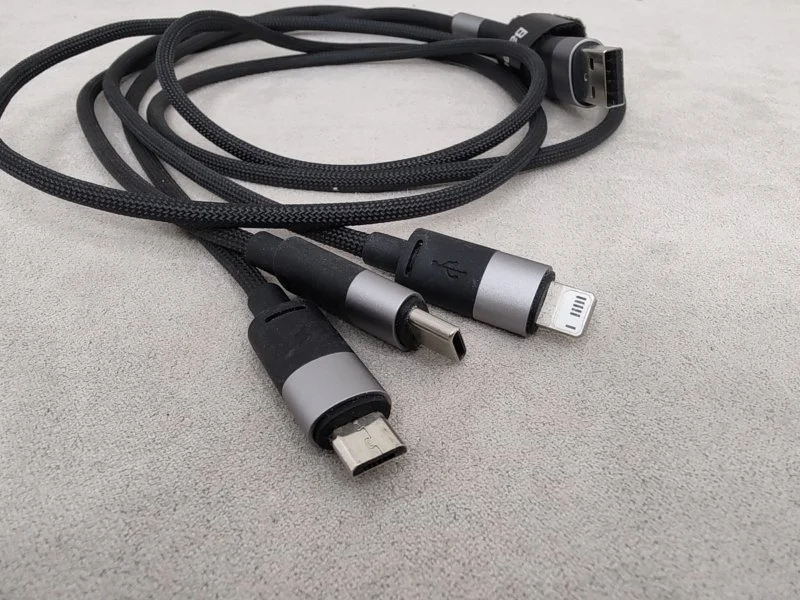
4-in-1, 3-in-1, or 2-in-1. These are essentially 2-4 cables with different tips combined into one. They solve the problem of having too many wires and chargers, especially power adapters with only one or two ports. You can even find models with a wireless charger for smartwatches. However, these combined cables rarely transfer more than 15W of power.
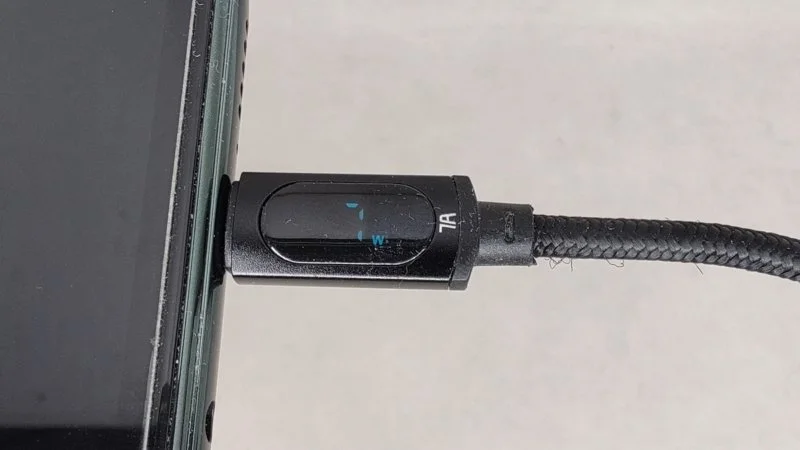
Built-in display. This display usually shows the charging power. It’s useful for monitoring how many watts your phone or other device is receiving. More advanced models indicate current and voltage, allowing the cable to be used as a tester. However, the accuracy of these cables is typically +/- 3-5W when charging at 60-100W.
LED indicator. Usually a small 1-2mm LED to show the cable’s status. When it’s lit, charging is in progress; when it’s off, charging isn’t happening or there’s a malfunction. Some cables have RGB lighting that glows in the dark – they look cool but offer no practical benefit.
Accessories
Some USB cables come with useful accessories: a reusable Velcro strap, adapters, or a pouch.
Reusable Velcro strap helps manage cable length and simplifies storage. It’s particularly useful for longer cables, over 1m.
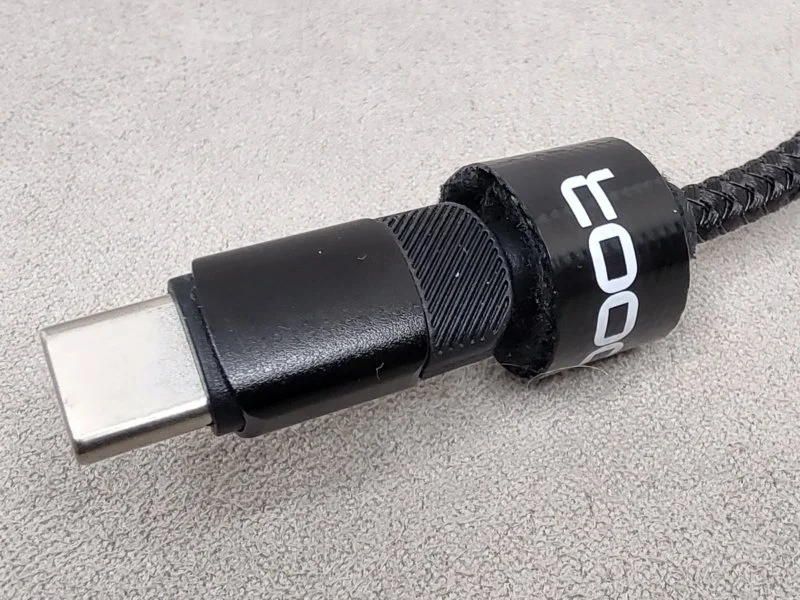
Adapters attach to the sleeve and expand the cable’s versatility. A C-to-C cable can be converted into a C-to-A or MicroUSB-to-A cable, which is useful if you have devices with different ports.
Pouch or a hard case is rare, but useful for transporting the cable and reducing the likelihood of damage.
This is a new ranking, and if you’re interested in specific tests and measurements, please share your suggestions in the comments.
EMMA — Experts + Methodology + MyChoozers + Algorithm.
Every model goes through identical tests; the score is calculated automatically with fixed weights — a spot in the rating cannot be bought.
TOP 10 BEST USB Cables – Ranking
1. Essager ES-X28USB cable with display for monitoring charging power
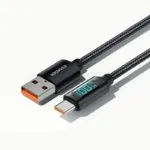
Key selling points: the built-in display shows charging power, the metal sleeve and molded USB-C connector are more reliable than seamed ones, and it supports up to 100W charging. Downsides: USB 2.0, doesn’t work with some adapters, and discrepancies in actual charging power.
It’s convenient to track charging power with the display. However, there are power accuracy discrepancies, roughly up to 3-5W. The higher the charging power, the greater the discrepancy. The build quality and materials are flawless: metal sleeve and nylon braid. But the strain relief for preventing wire bending is only 5mm. It includes a reusable Velcro strap for managing cable length and organizing space.
Charging power is up to 100W for the C-to-C cable, up to 7A (promising 100W) for C-to-A, and up to 29W for C-to-Lightning. The cable doesn’t work with some adapters, usually budget ones for MicroUSB. Also, the screen blinks if the cable is connected to the charger and device but power is off.
- Display with transmitted power
- Up to 100W power
- Metal sleeve, nylon braid, and molded USB-C connector.
- USB 2.0, doesn’t work with some adapters.
- Discrepancies in charging accuracy
- Screen blinks if the cable is left connected to the device with charging disconnected.
2. Toocki TQ-X61Best 3-in-1 USB cable
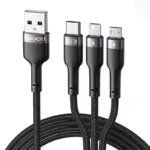
Key selling points: 3-in-1 cable with essential connectors, up to 100W charging power, nylon braid + TPE, and a molded USB-C connector. Downsides: USB 2.0, data transfer only via the USB-C connector.
The Toocki TQ-X61 cable was purchased as a secondary option after the Baseus 3-in-1. Its build quality and materials are on par with Baseus and better than the ASOMETECH AS3IN1 – neater metal inserts. Notable differences include smaller metal inserts and double the strain relief length – 15.7mm compared to Baseus’s 7.4mm. The cable is also 0.3mm thicker. It includes a reusable Velcro strap.
Stated power transmission is up to 100W (20V/5A or 11V/6A) only through the Type-C connector. It’s a USB 2.0 version, and data transfer is only possible via USB-C. Maximum power for the other two connectors is up to 18W, or 15W when 2 or 3 connectors are used simultaneously.
- 3-in-1: USB-C, MicroUSB, and IP
- Up to 100W charging power
- Molded USB-C connector, 15.7mm strain relief
- USB 2.0. Data transfer only via USB-C
3. ASOMETECH AS3IN1Best budget 3-in-1 USB cable
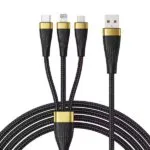
Key selling points: 3-in-1 cable with essential connectors, up to 100W charging power, nylon braid, and a molded USB-C connector. Available in a 2m version. Downsides: USB 2.0, data transfer only via the USB-C connector.
The ASOMETECH AS3IN1 cable, 2m long, was obtained at a discount. Its build quality and materials are no worse than the Baseus 3-in-1: nylon braid and a sleeve with a 29mm strain relief. However, the metal inserts aren’t neat. It also lacks a reusable Velcro strap, which would be a useful accessory for a 2-meter cable.
Stated power transmission is up to 100W for the USB-C connector. It’s a USB 2.0 version, and data transfer is only possible with USB-C. Maximum power for the other two connectors is up to 20W, or 15W when 2 or 3 connectors are used simultaneously.
- 3-in-1: USB-C, MicroUSB, and IP
- Up to 100W charging power
- Molded USB-C connector
- USB 2.0. Data transfer only via USB-C
- No Velcro strap, untidy metal inserts
4. Baseus 3 in 1 CB000030Best 3-in-1 charging USB cable
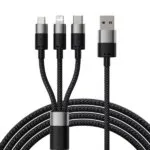
Key selling points: 3-in-1 cable with essential connectors, nylon braid, and a molded USB-C connector. Downsides: USB 2.0, data transfer only via the Lightning connector.
Since 2023, this has been my primary 3-in-1 charging cable. I usually use it to charge my devices and measure the battery capacity of headphones. In terms of material quality, it’s still the best 3-in-1 cable among those tested, better than the ASOMETECH AS3IN1 and comparable to the Toocki TQ-X61. The cable sleeve is partially metal, the strain relief is 7.4mm, and it has a nylon braid. It includes a reusable Velcro strap.
Stated power transmission is up to 15W for single or multiple connections. It’s a USB 2.0 version, and data transfer is only available via the Lightning connector.
- 3-in-1 cable with essential connectors
- Nylon braid and molded USB-C connector
- USB 2.0
- Data transfer only via IP connector.
5. Toocki TQ-X12Best budget USB cable
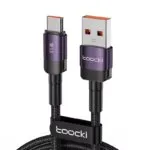
Key selling points: up to 100W charging power, includes an E-Marker chip, offers 5 cable length options and 4 connection types, has a nylon braid, and a molded connector. Downsides: USB 2.0, no cables with older connectors (MicroUSB or MiniUSB) in the series.
I have several cables from this series with C-to-C and C-to-A connectors, 50cm and 25cm long. The connector housings are partially made of aluminum alloy, and the braid is nylon. The base of the cables has a 14.5mm strain relief. There’s also a reusable Velcro strap for length adjustment and storage organization.
Power transmission up to 100W is stated for all cables, with the exception of iPhone cables, which are up to 20W. The C-to-C cable has an E-Marker chip.
- Up to 100W charging power, E-Marker chip only in C-to-C cables.
- Molded connector housing
- 5 cable length options and 4 connection types.
- USB 2.0 with data transfer speeds up to 480 MB/s.
- No cables with older connectors (MicroUSB or MiniUSB) in the series.
6. QOOVI QC-01USB cable with LED indicator
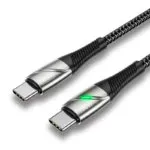
Key selling points: up to 100W charging power, includes an E-Marker chip, nylon braid, and a molded connector. It has an LED indicator that lights up when power is flowing through the cable. Downsides: USB 2.0, only one cable option in the series.
The QOOVI QC-01 cable came with the QOOVI Q-50000 power bank. The cable looks good, and the braid feels like fabric. The connector housing is molded, the sleeve is metal, and the wire strain relief is 23.3mm long. It does not include a reusable Velcro strap.
Power transmission of 100W is stated. The E-Marker chip incorrectly shows the USB version as 3.2 Gen2 instead of 2.0.
- Up to 100W charging power, E-Marker chip.
- Molded connector housing, metal sleeve
- 23.3mm wire strain relief, LED indicator included.
- USB 2.0 with data transfer speeds up to 480 MB/s.
- No cables with older connectors in the series, no other lengths or colors. No Velcro strap.
7. Ugreen US287Best material USB cable for charging
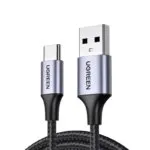
Key selling points: 6 cable length options. Nylon braid, aluminum sleeve, and molded USB-C connector. Downsides: USB 2.0, charging power up to 18W.
Ugreen US series cables stand out noticeably in material quality compared to the Baseus Cafule: they have a metal sleeve, a 12.5mm strain relief, a nylon braid, and the cable is 4.1mm thick versus 3.6mm for the Baseus Cafule. The only thing missing is a reusable Velcro strap. Choose from 6 length options and 2 connection types. I have cables in lengths 0.25, 1, 1.5, and 2 meters.
Current up to 3A is stated, USB version is 2.0.
- Molded USB-C connector, 12.5mm strain relief, metal sleeve.
- 6 length options
- USB 2.0. Data transfer only via USB-C
- Up to 3A current.
8. Toocki TQ-X23USB cable with translucent sleeve
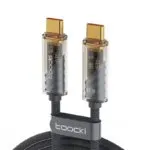
Key selling points: up to 100W charging power, includes an E-Marker chip, nylon braid, and a molded connector. Downsides: USB 2.0, no cables with older connectors in the series, short strain relief to prevent wire bending.
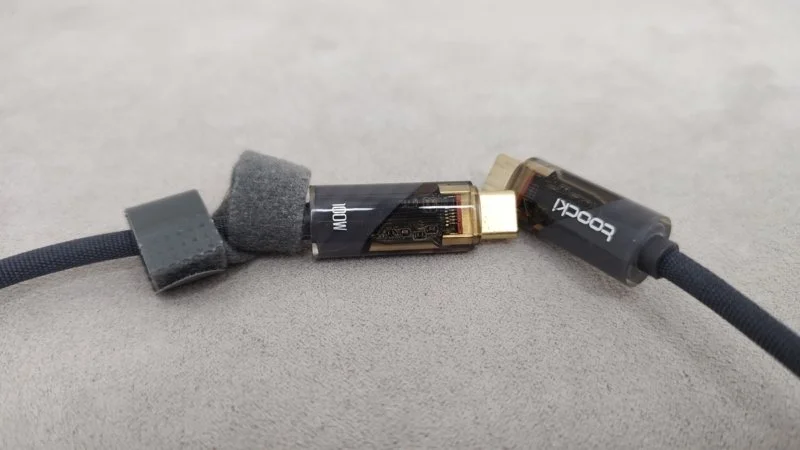
The Toocki TQ-X23 cable was the first C-to-C connector cable in my collection. I bought it for testing power banks and other electronics. After a year of irregular use, the connector has worn slightly – the gold-plated paint has peeled off. The sleeve behind the connectors is translucent, showing the PCB and SMD components. The braid is nylon. The strain relief is 3mm for preventing wire bending. It includes a reusable Velcro strap for length adjustment and storage organization.
Power transmission of 100W and 60W is stated. However, the E-Marker chip incorrectly shows the USB version as 3.2 Gen2 instead of 2.0.
- Up to 100W charging power, E-Marker chip.
- Molded connector housing, translucent sleeve.
- Double braid: TPU + nylon
- USB 2.0 with data transfer speeds up to 480 MB/s.
- No cables with older connectors (MicroUSB or MiniUSB) in the series.
- Short strain relief to prevent wire bending.
9. Baseus Cafule CATKLF-CG1USB cable for slow charging
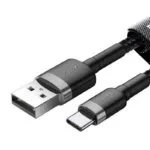
Key selling points: 4 cable length options and 4 connection types, nylon braid, and a molded USB-C connector. Downsides: USB 2.0, charging power up to 18W. Although the C-to-C version supports up to 60W.
I have two Baseus Cafule series cables – C-to-A and MicroUSB-to-A, both rated up to 18W. I bought them as spares and they’ve remained spares, as the Baseus and Toocki TQ-X61 3-in-1 cables became my primary ones. Two cables and 6 connectors cover my main connection needs. The Baseus Cafule cable itself has a nylon braid, 14.5mm strain reliefs, and a molded USB-C connector.
Power transmission up to 18W is stated, and the USB version is 2.0. The C-to-C cable supports PD 2.0 up to 60W.
- 4 cable length options and 4 connection types.
- Molded USB-C connector, 14.5mm strain relief
- USB 2.0
- C-to-A and MicroUSB-to-A cables with up to 18W power.
10. Essager ES-X46Tactilely pleasant USB cable
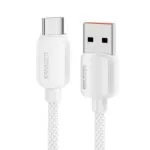
Key selling points: up to 100W power, 3 cable length and connection type options, nylon braid, TPE (thermoplastic elastomer) sleeve, and a molded USB-C connector. Downsides: USB 2.0, 5.5mm strain relief length.
The C-to-A cable came bundled with the Essager ES-CD31 charger. You can buy the cable separately with the desired C-to-C, C-to-A, or C-to-Lightning connectors. The cable sleeve is made of thermoplastic elastomer, combining the properties of plastic and rubber. It’s soft to the touch, elastic, and doesn’t stiffen in the cold. The strain relief is short at 5.5mm. It has a nylon braid and a reusable Velcro strap.
Power transmission up to 100W is stated, and up to 29W for the iPhone cable. USB version is 2.0.
- Up to 100W power
- TPE sleeve, nylon braid, and molded USB-C connector.
- USB 2.0
- Short strain relief – 5.5mm.